A step-by-step guide on how to order Wirex Business card
Wirex Business Cards are physical payment cards designed to help companies make everyday transactions seamlessly. Whether you're paying suppliers, covering team expenses, or managing crypto-to-fiat transactions, our card offers a convenient and secure solution for business spending.
Key Benefits:
✅ Spend directly from your Wirex Business account
✅ Supports crypto-to-fiat conversion in real-time
✅ Accepted globally wherever Visa or Mastercard cards are supported
Now, let’s walk through the steps to order your card
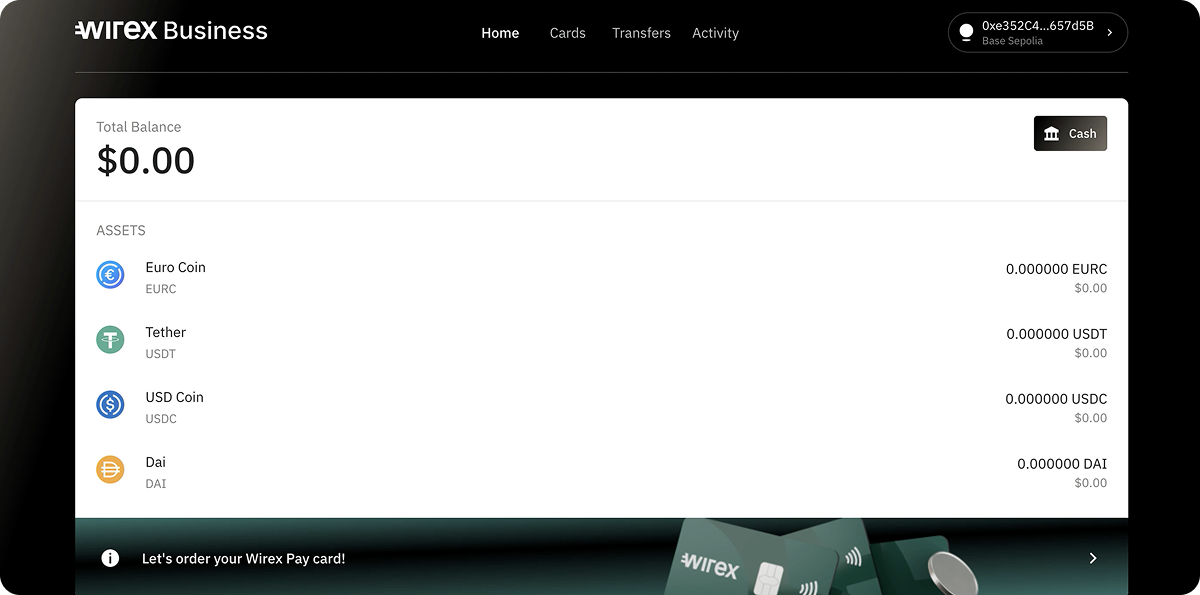
1. Open the Cards Tab
Once you complete the KYB verification, head over to Home page and navigate to the Cards tab in the main menu.
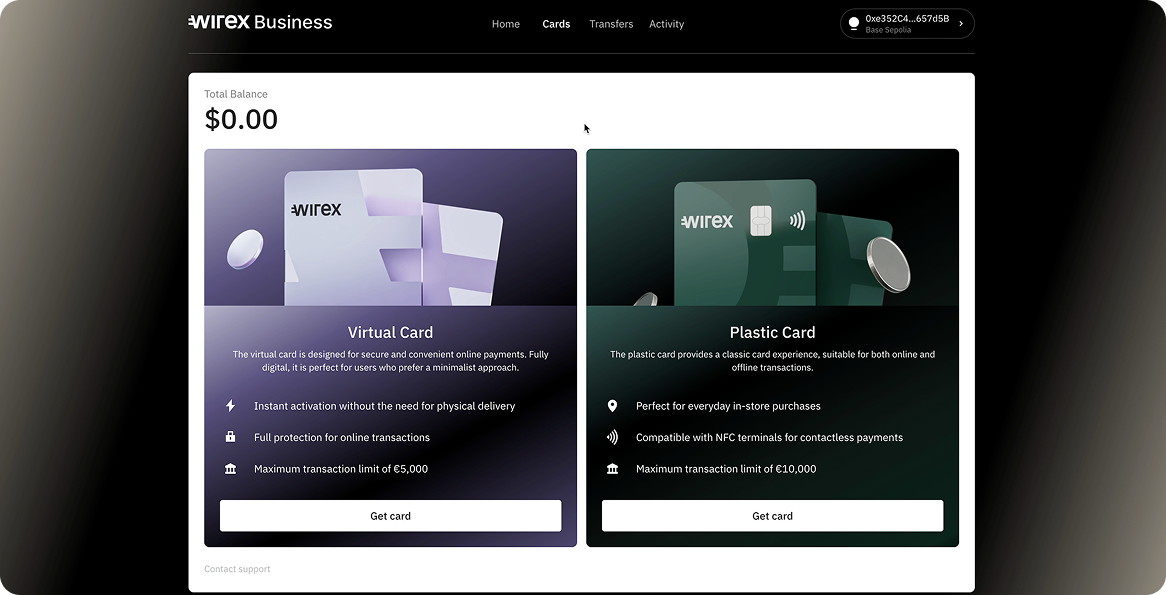
2. Select a Plastic Card
Under the Cards tab, choose the Plastic card option and click “Get Card.”
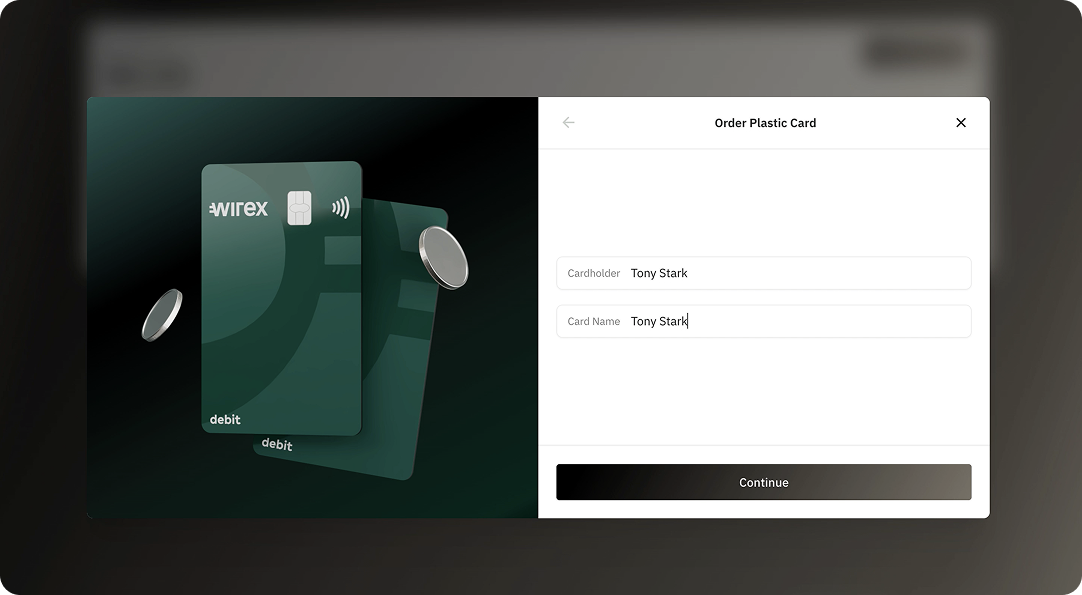
3. Assign Cardholder & Card Name
Enter the Cardholder Name (the name that will appear on the card) and a Card Name to help you identify the card in your account.
4. Enter the Delivery Address
Provide the address where you'd like the card delivered.
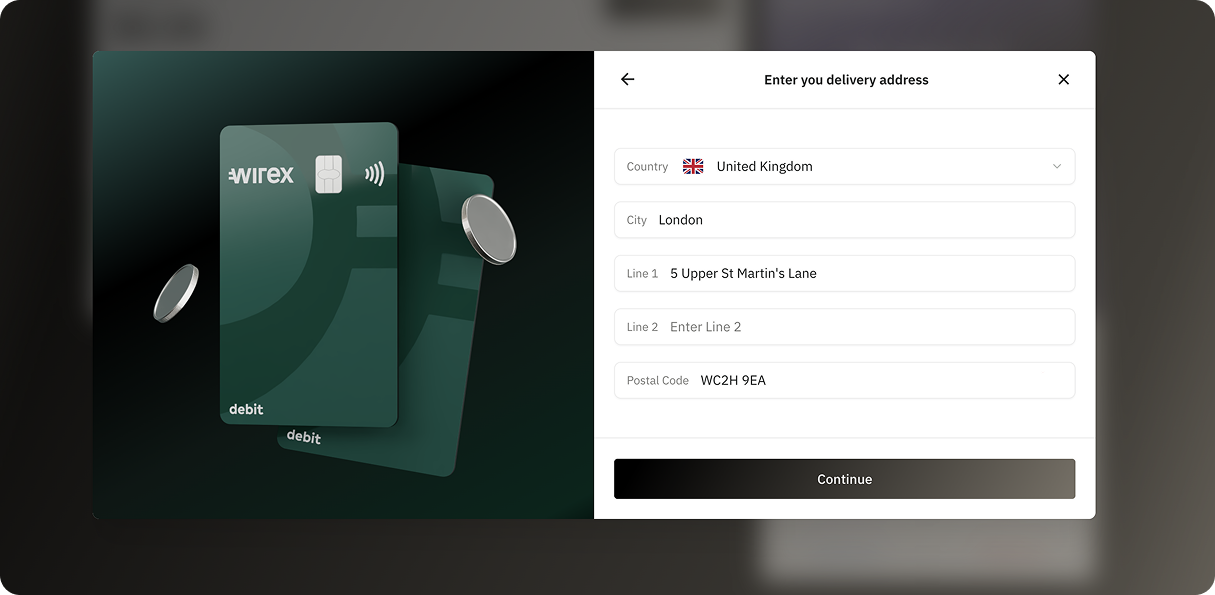
Do not use local characters or symbols (e.g. ñ, ç, ę, ä), as they will prevent the address from being accepted.
5. Confirm the Address on the Map
You'll see a map showing the entered location. Confirm the accuracy.
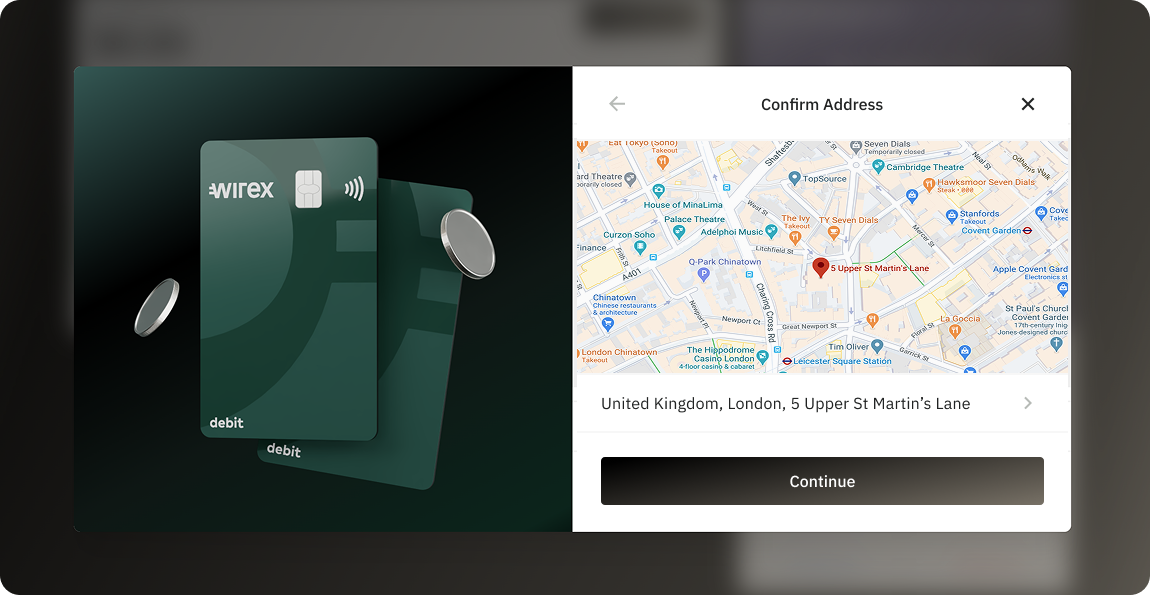
If the address is incorrect or needs changes, simply click on the address line to go back and edit it.
6. Choose Delivery Type
Select your preferred delivery option:
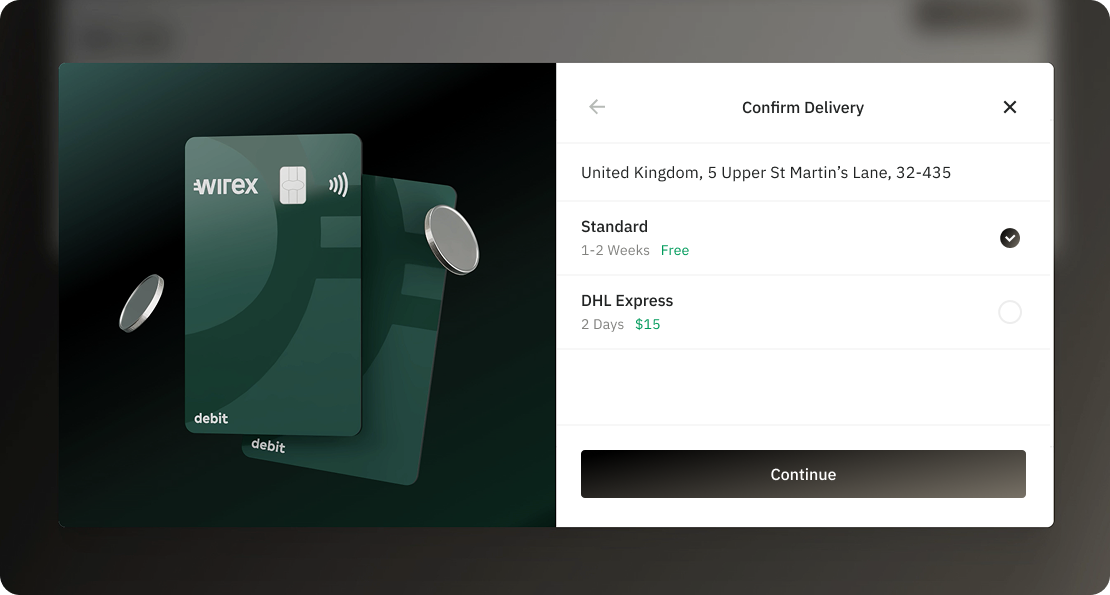
- Standard – Delivered by a local provider, typically within 1–2 weeks.
- Express – Delivered by DHL Express within 1–2 calendar days.
Want more info? Check our dedicated article on Card Delivery options.
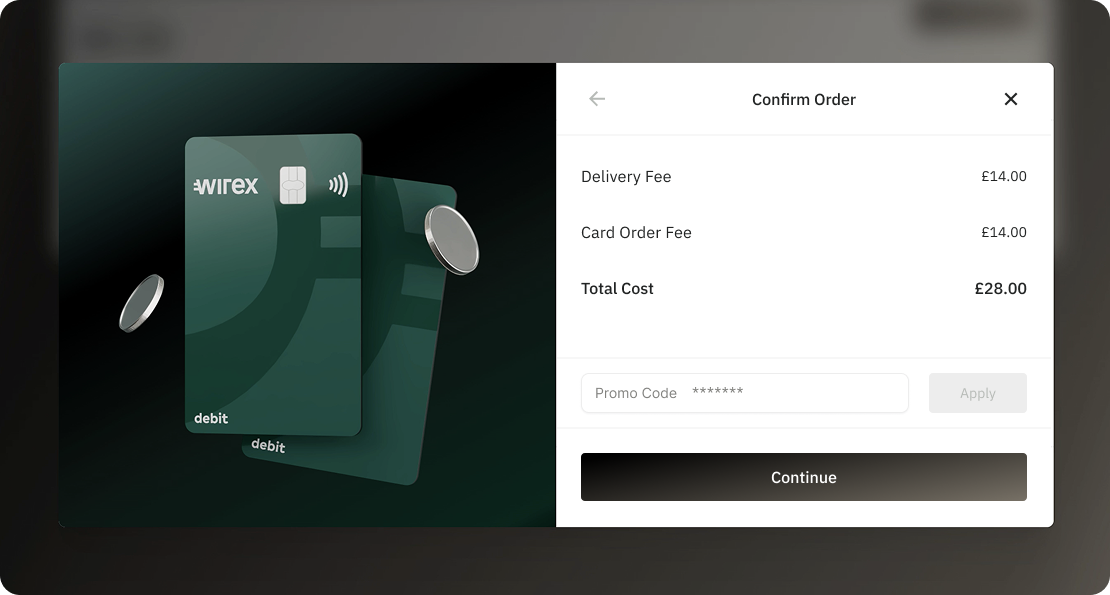
7. Confirm the Card Order
You’ll see a summary showing delivery cost and a field to enter a promo code, if available. Review and confirm the order.
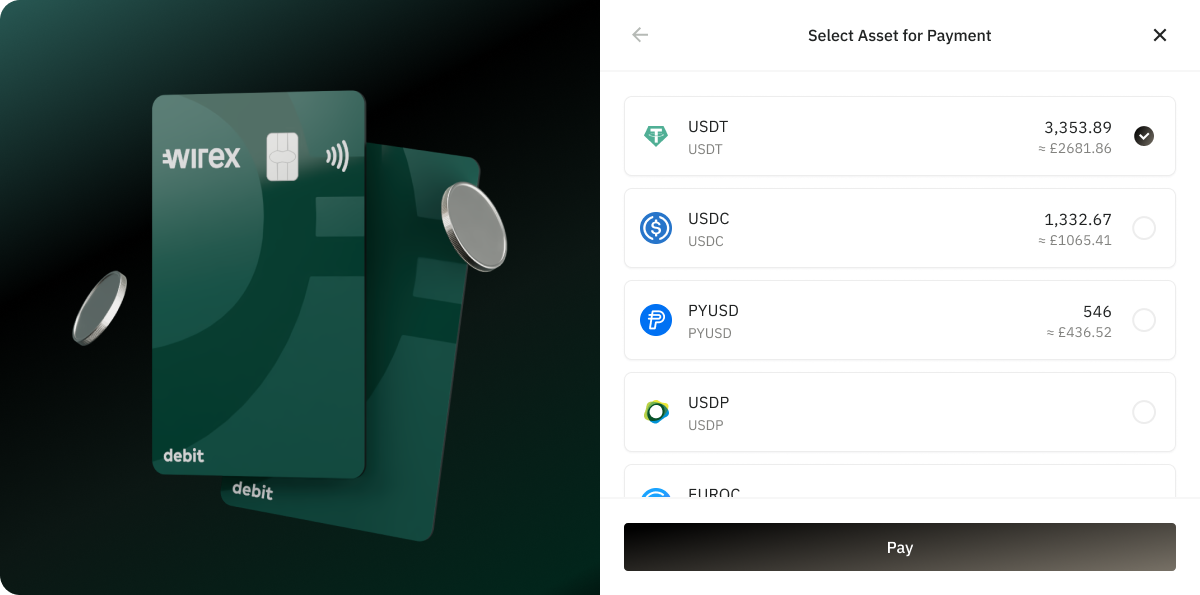
8. Choose Payment Account
Select the Wirex Business account you'd like to use to pay for the card order.
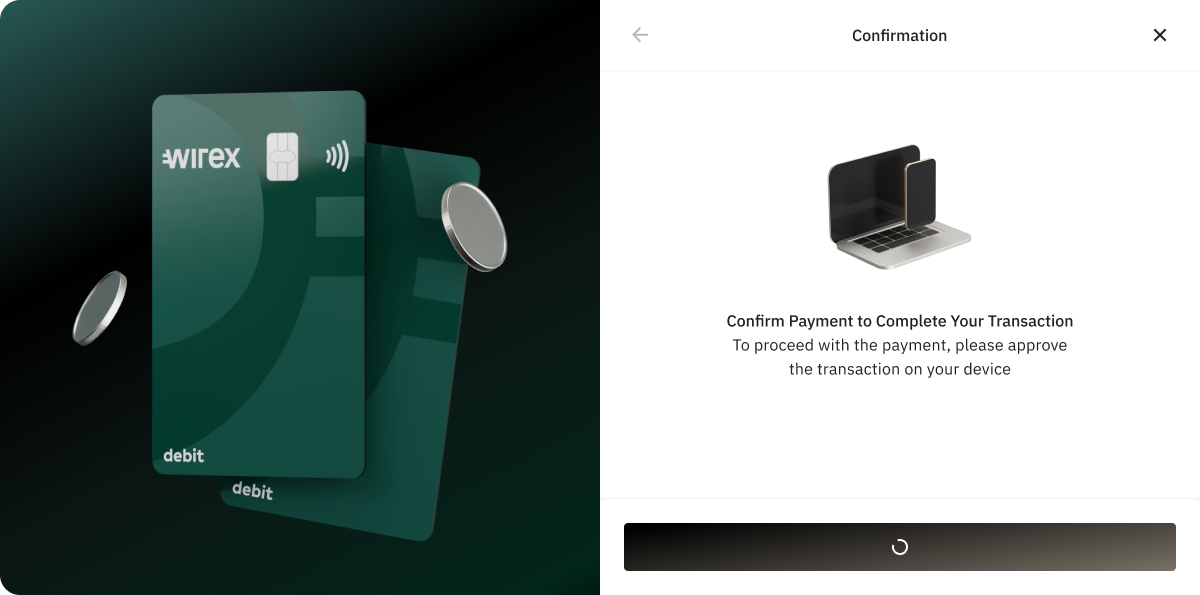
9. Confirm Crypto Payment via Wallet
As this is a crypto payment, you’ll be prompted to confirm the transaction using your linked wallet (e.g. MetaMask).
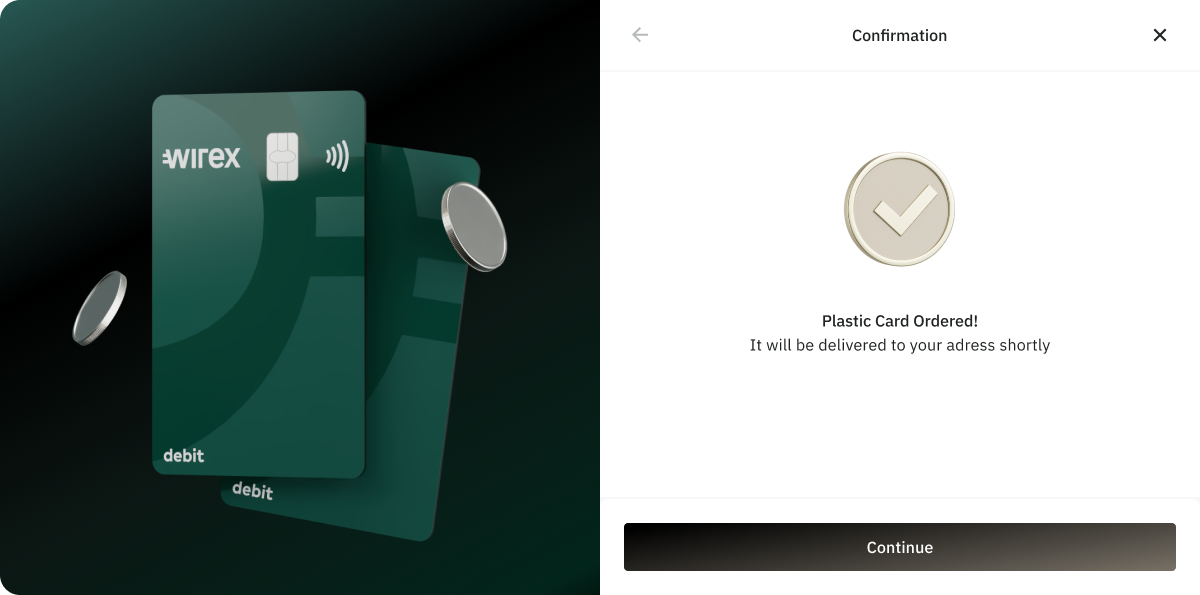
10. Order Complete
✅ That’s it! Your card has been successfully ordered and will be delivered based on your selected shipping method.
While your physical card is on its way, you can already start transacting by using a virtual card. Here's a detailed article on How to activate a Virtual card.
If you encounter any issues during the card order, or you have any questions, please feel free to reach out using the web chat. Our Support team is always here to help!
Was this article helpful?
That’s Great!
Thank you for your feedback
Sorry! We couldn't be helpful
Thank you for your feedback
Feedback sent
We appreciate your effort and will try to fix the article