How to Freeze Your Card and When to Use It
Freezing your card is a quick and effective way to prevent unauthorized transactions while keeping your card available for future use.
How to Freeze Your Card
In this example, we will be using a virtual card. The same steps can be taken to freeze a plastic card.
1. Open the Dashboard and head over to the "Cards" section.
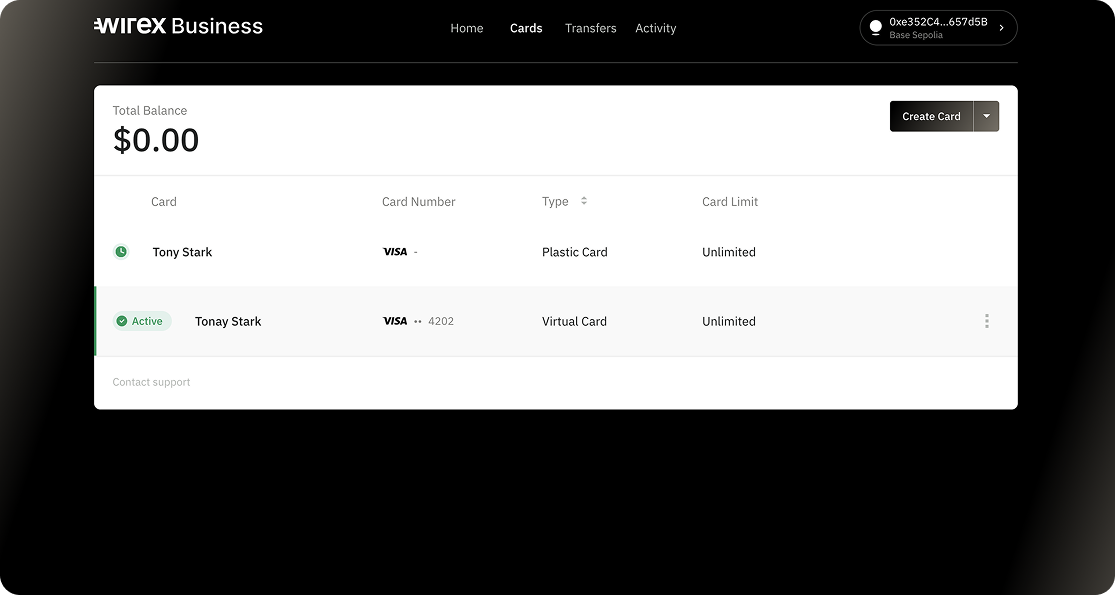
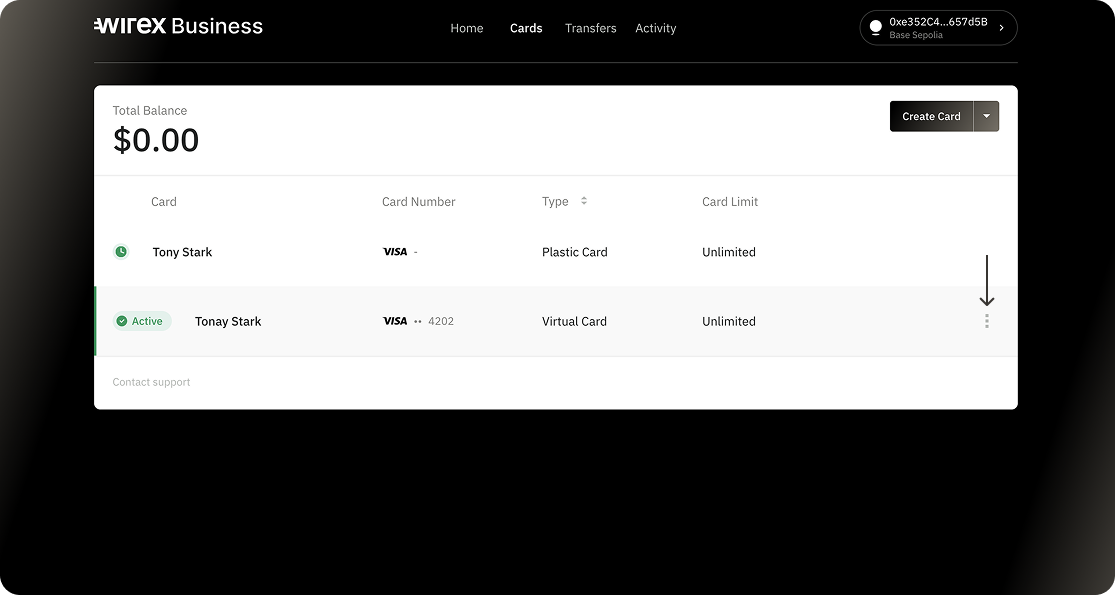
2. Hover your mouse over the card you want to freeze and click the three-dot menu. This will open the Card Management section.
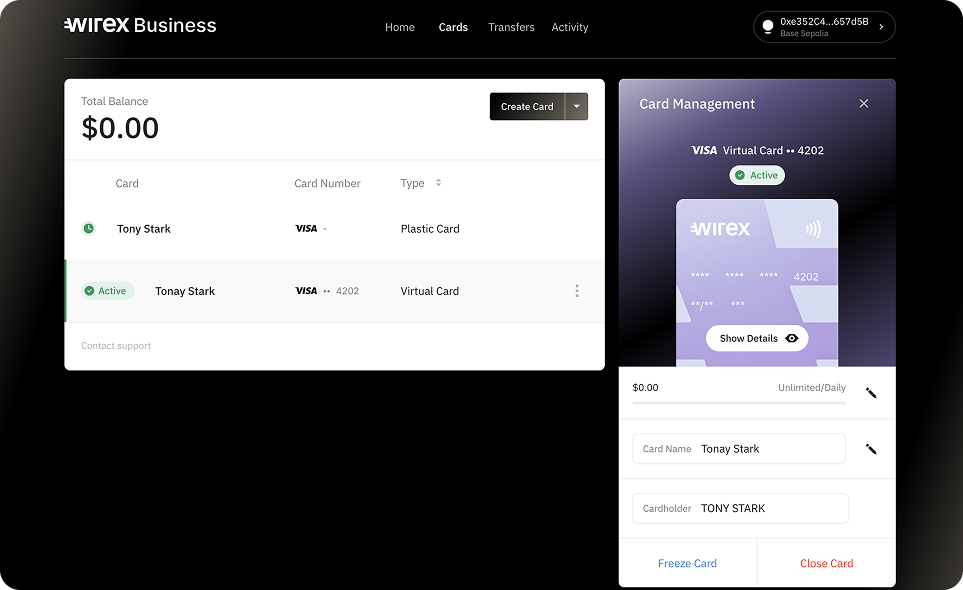
3. From the Card Management, click Freeze Card.
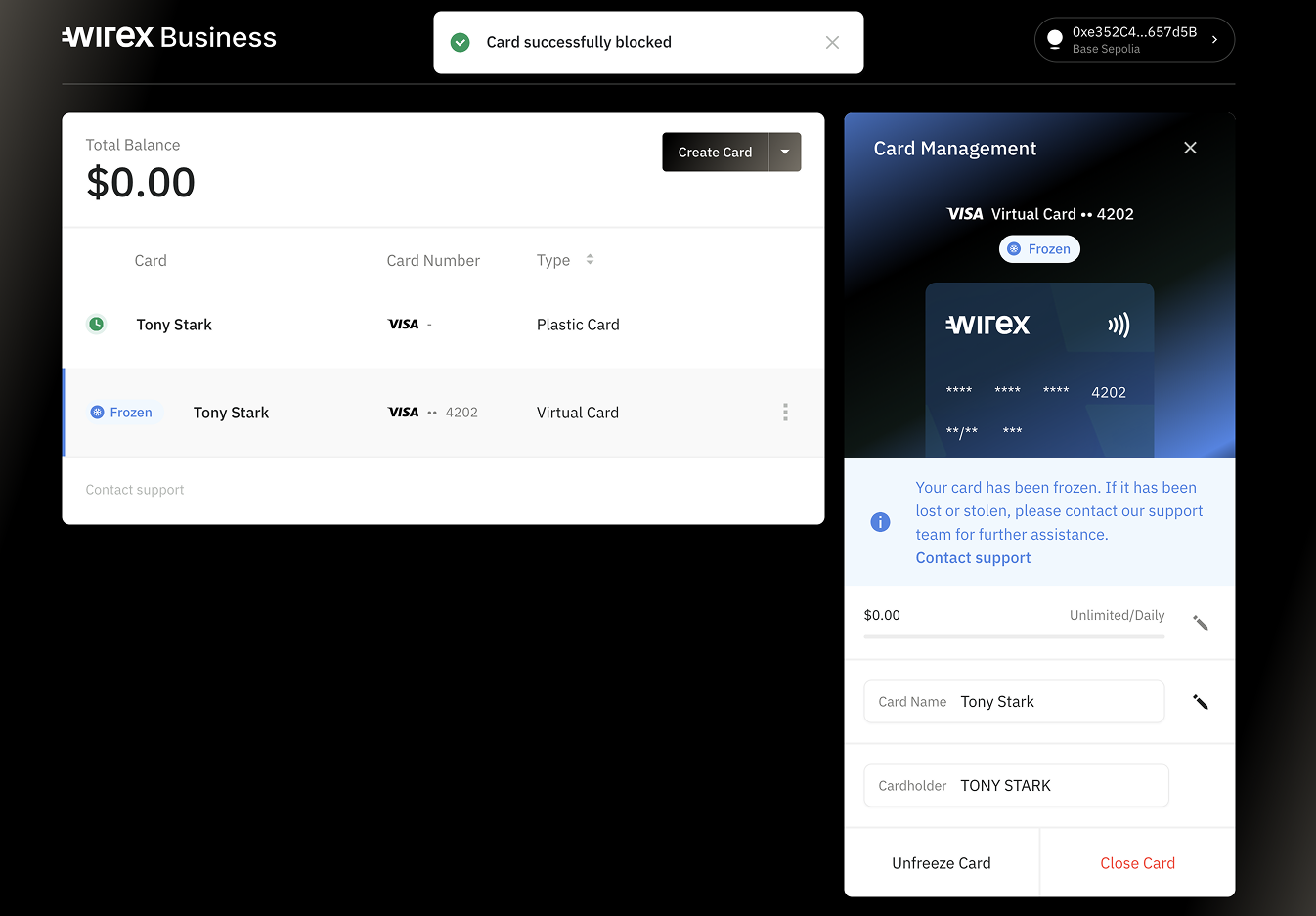
4. From here, your card was successfully blocked
What Happens When You Freeze Your Card?
- All transactions, including online and in-store purchases, will be blocked.
- Your card remains linked to your account, but no new payments can be made.
- You can unfreeze it anytime to restore full functionality.
When Should You Freeze Your Card?
- If you’ve misplaced it but expect to find it soon.
- If you notice suspicious activity and need time to investigate.
If your card is lost or stolen, it’s recommended to report it and request a replacement instead of just freezing it. Please reach out to our support team using the web widget so they can guide you further.
Freezing your card gives you control over your security with just a few taps, helping you act fast in case of potential fraud or misuse.
Was this article helpful?
That’s Great!
Thank you for your feedback
Sorry! We couldn't be helpful
Thank you for your feedback
Feedback sent
We appreciate your effort and will try to fix the article