Verification: Know Your Business (KYB)
Before your business can fully operate within Wirex Pay, you must complete a Know Your Business (KYB) verification. This process ensures compliance with regulatory requirements and helps us prevent fraud, money laundering, and unauthorized activity. It involves submitting details about your company, its structure, and its key representatives.
Phase 1
1. Start Verification
After registration, click “Start Verification” from the homepage to begin the KYB process.
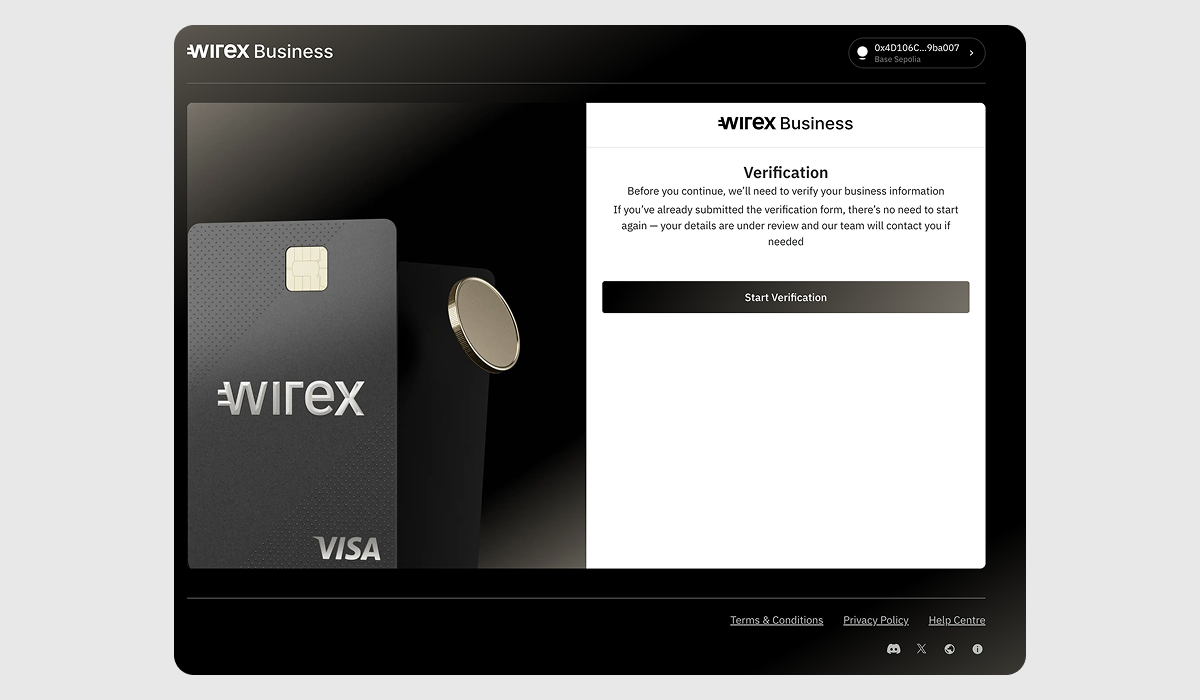
You will see the following message "You're about to submit sensitive data to Wirex Business. If you received this link from a suspicious source, please close this page and notify us immediately." Click Continue to proceed.2. Consent to Data Processing
Confirm if you consent to the processing of your personal and business data.
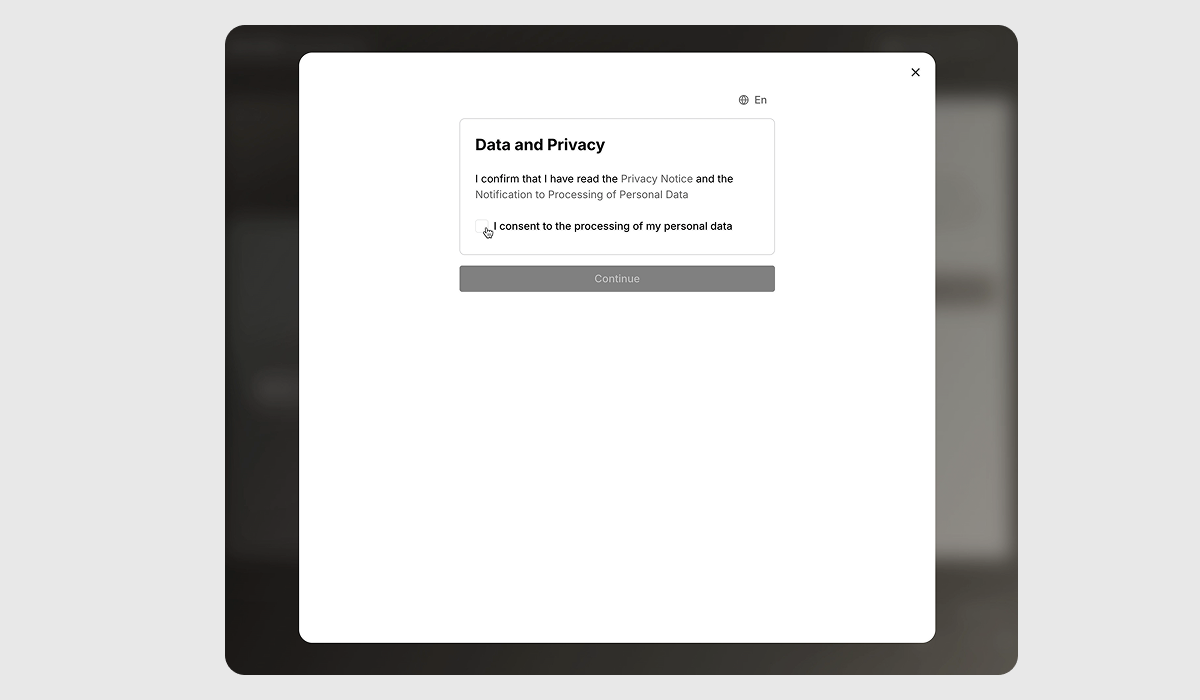
3. Verification Flow Begins
You’ll now go through several sections: Company information, business details, and associated parties.
Let’s start with the Company Information.
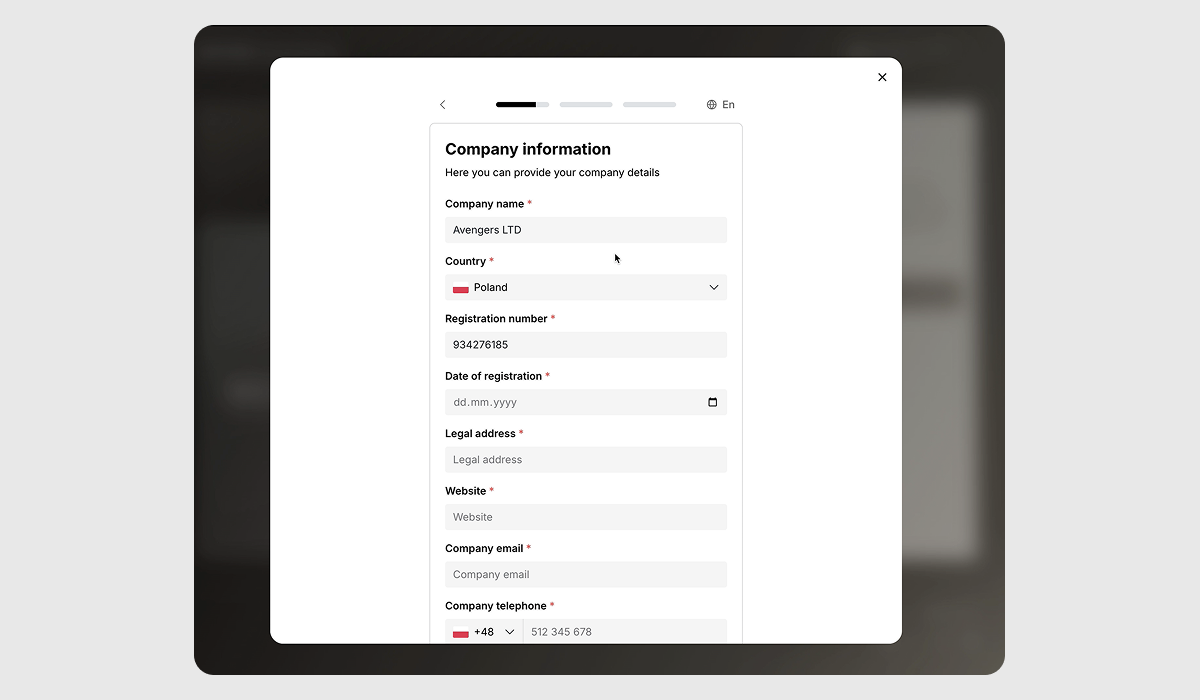
Fill in the following details:
| Company Name | The official name of the registered business entity. |
| Country of Registration | The country where the company is legally registered. |
| Registration Number | The unique identification number assigned to the company upon registration. |
| Date of Registration | The official date when the company was legally registered. |
| Legal Address | The formal registered address of the company, used for legal correspondence. |
| Postal Address | The address where the company receives regular mail and deliveries. |
| Company Website | The official website domain of the company. |
| Company Email | The primary email address used for business communications. |
| Contact Phone Number | The main phone number customers or partners can use to reach the company. |
After completing the form, click Save and Continue.
4. Corporate Account Questionnaire
Here you will need to choose the type of your company.
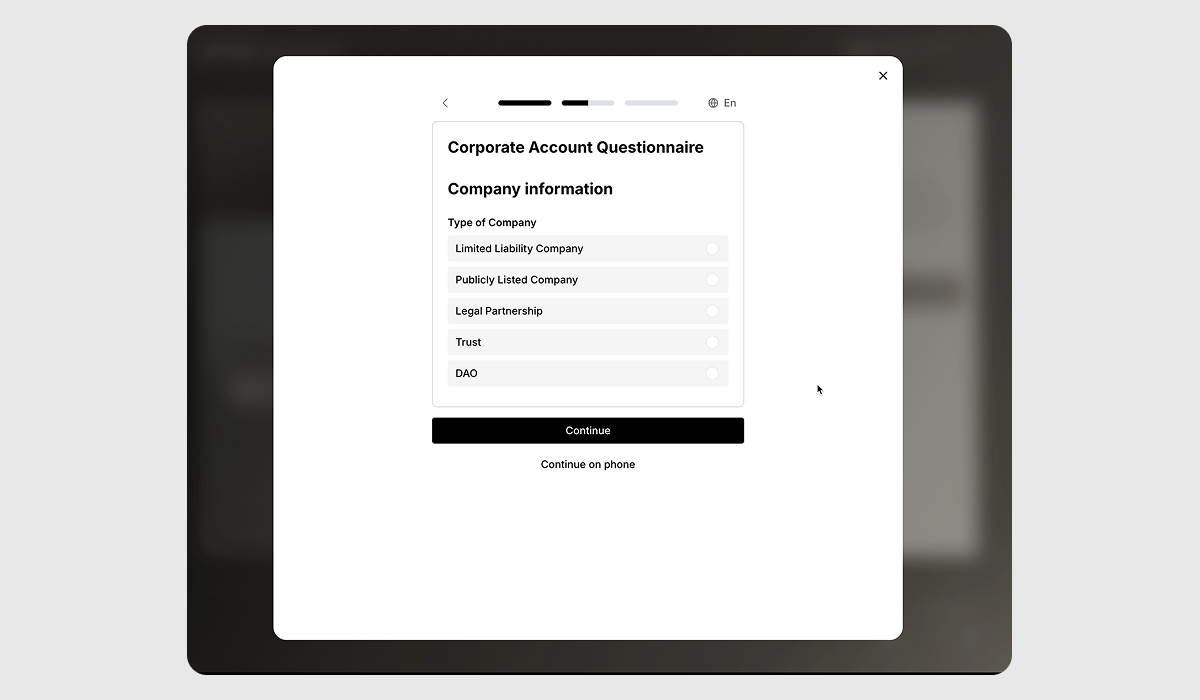
Select your company type from the list:
| LLC | Limited Liability Company – A flexible business structure where owners have limited personal liability for the company’s debts and obligations. Common in the U.S. and some other jurisdictions. |
| PLC | Public Limited Company – A type of company whose shares can be publicly traded on a stock exchange. Common in the UK and some other countries. |
| Legal Partnership | A business structure where two or more individuals share ownership, responsibilities, and profits. Each partner is personally liable for the business’s obligations unless it's a limited partnership. |
| Trust | A legal arrangement where a trustee holds and manages assets on behalf of beneficiaries, often used for estate planning or asset protection. |
| DAO | Decentralized Autonomous Organization – A blockchain-based entity governed by smart contracts and token holders, operating without centralized control. |
5. Add Representatives (Associated Parties)
Add the individuals who hold significant roles in your company, such as directors, UBOs (Ultimate Beneficial Owners), or legal representatives. Associated parties refer to people with decision-making authority, ownership, or official roles in your business.
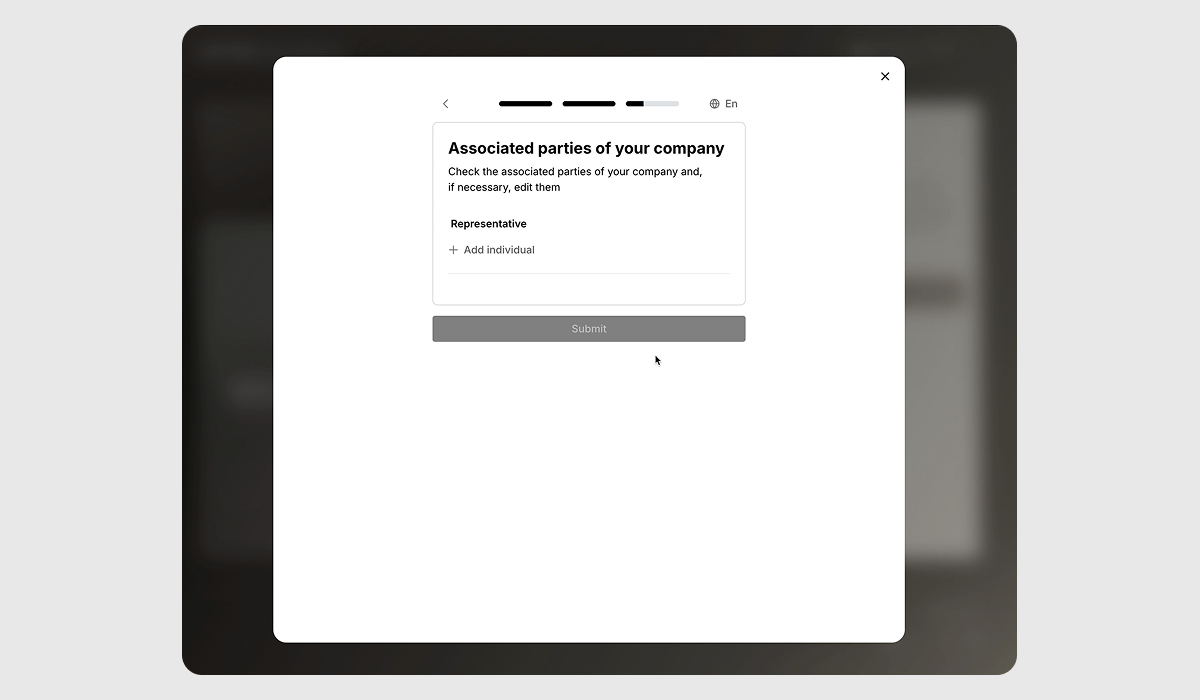
You will need to provide the Name, Surname and the Position of the associated party.
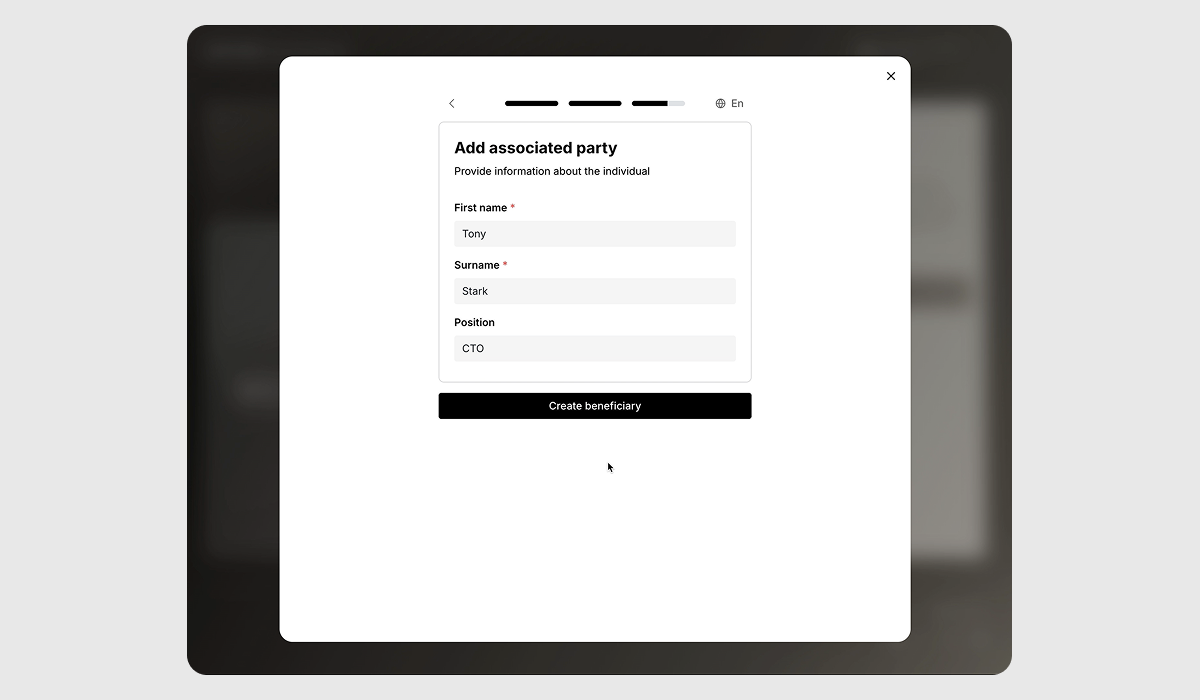
Once a beneficiary is created, click Continue. Later, you will be asked to provide more information about the beneficiary.
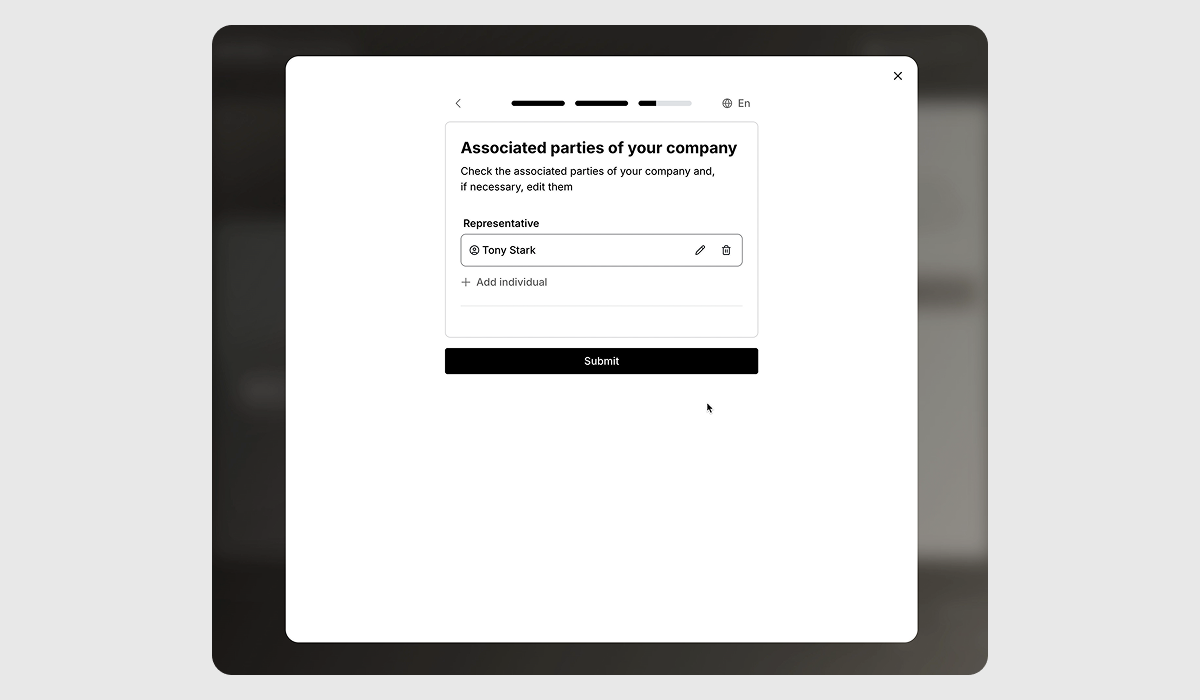
6. Review and submission
You’re done with the first phase! We’ll now review your submitted information. You’ll be notified once verification is complete or if additional information is required.
Phase 2
Phase 2 of the KYB verification process focuses on deepening our understanding of your business and its key stakeholders. In this phase, you'll provide detailed information about each associated party (such as directors, UBOs, shareholders, or legal representatives), clarify your company’s activities, and upload key documents that confirm your legal and operational structure.
Let’s walk through the steps:
1. Start the verification
While your initial submission (Phase 1) is under review, we recommend proceeding with Phase 2 to speed up the full verification process.
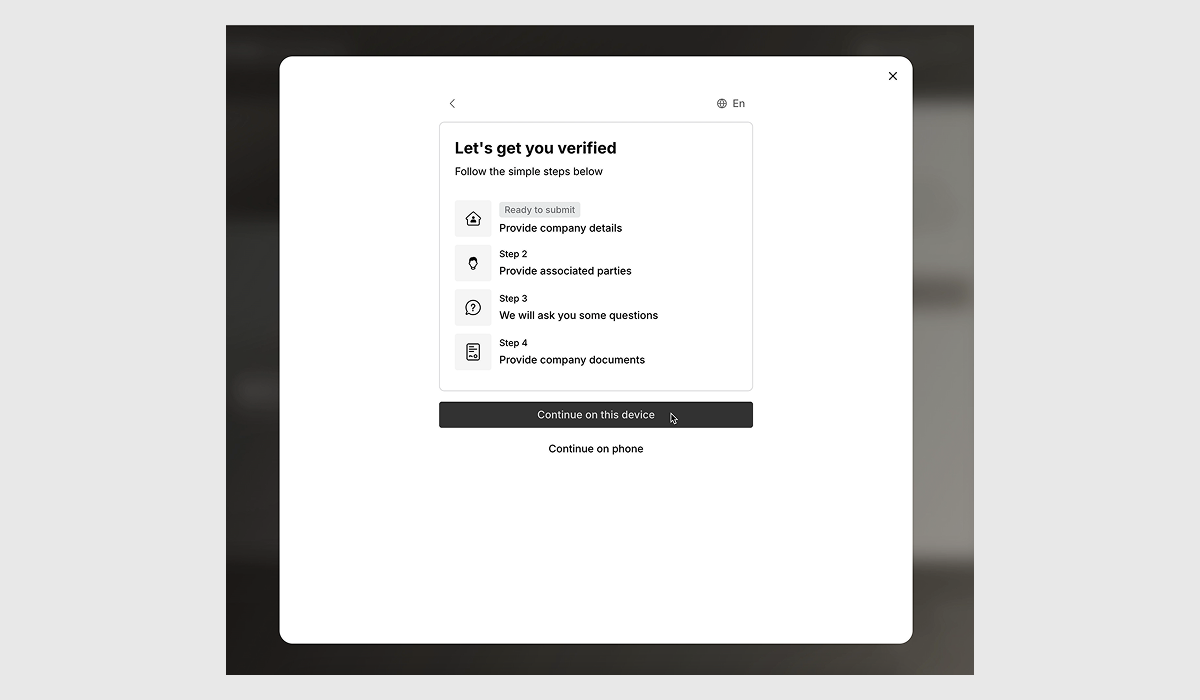
2. Submit Associated Party Information
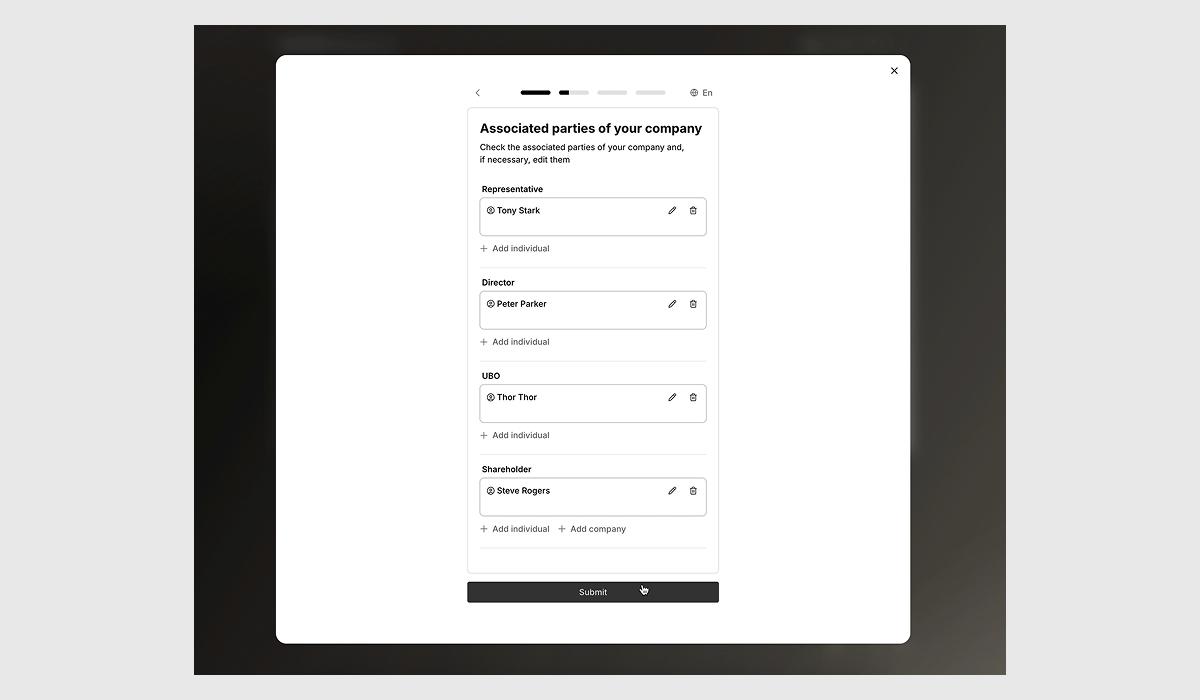
Add details for each person involved in your business — including representatives, directors, ultimate beneficial owners (UBOs), and shareholders.
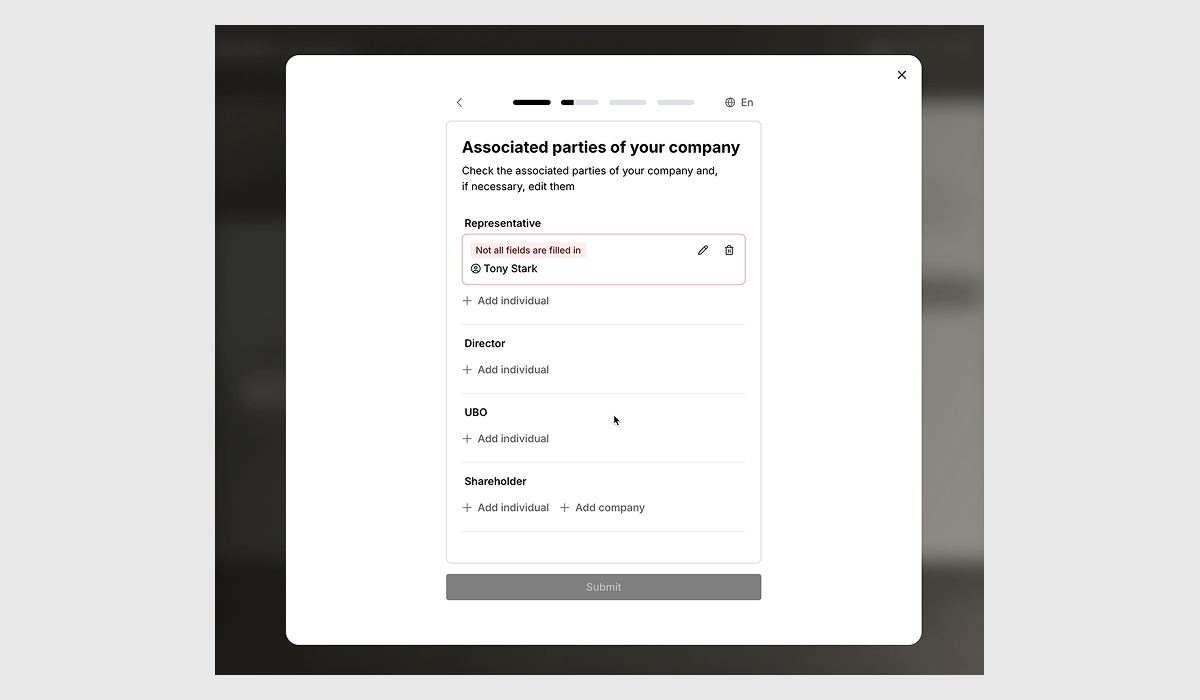
- A representative is authorized to act on behalf of the company.
- A director is part of the company’s leadership and is legally responsible for its actions.
- A UBO is someone who ultimately owns or controls more than 25% of the company.
- A shareholder holds ownership shares in the company.
See our detailed article on Understanding KYC for Associated Parties in Wirex Business.
3. Add Associated Party Details
Provide additional information for each associated party.
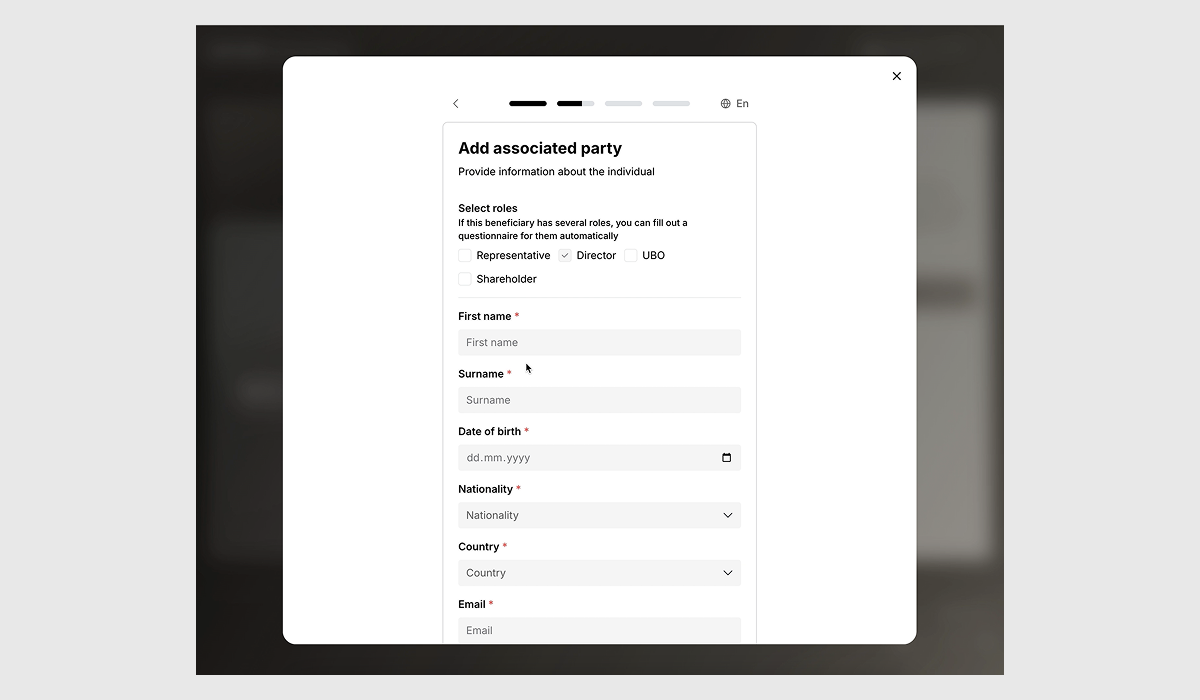
Please provide the following information for each associated party:
- First Name & Surname
- Date of Birth
- Nationality
- Country of residence
- Email Address
- Account Access Authorization (indicate whether this person should be granted access to the Wirex Business account.This means they’ll be able to log in, manage the account, and interact with the support team)
Once all parties are added, click Submit.
4. Provide Business Activity Information
You’ll now be asked several questions about your company’s operations.
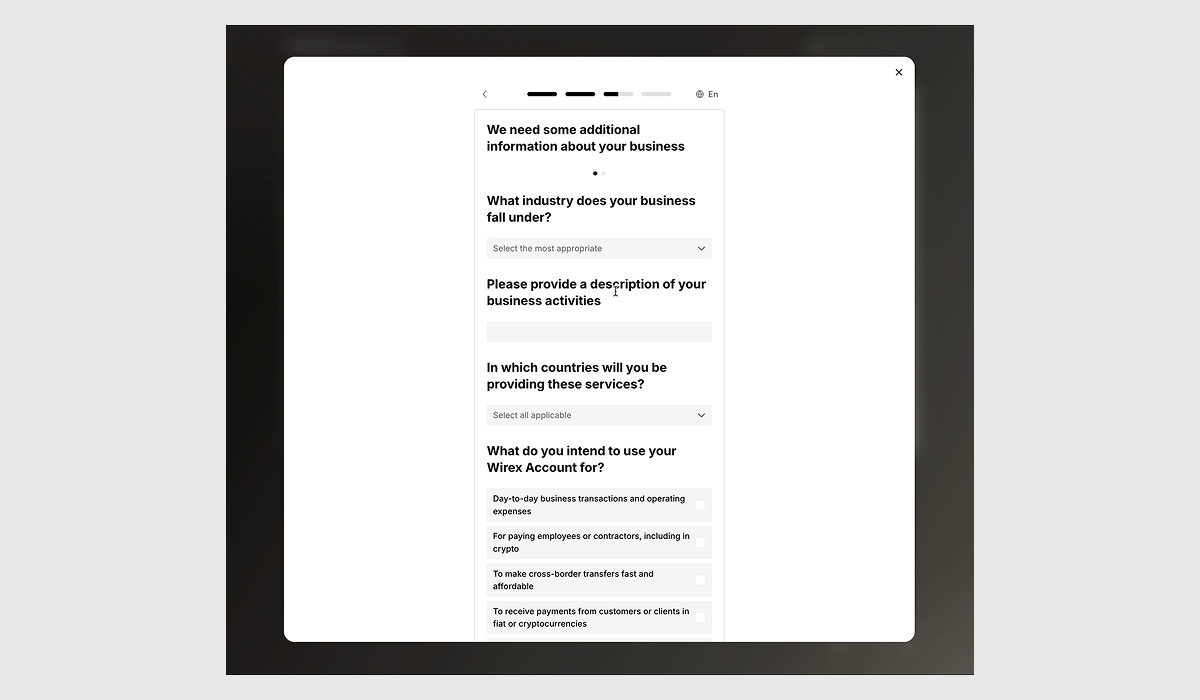
Here’s what to expect and what to include:
- What industry does your business fall under?
Choose the sector that best describes your operations (e.g. fintech, retail, software). - Please provide a description of your business activity
Briefly describe what your business does — e.g. "We provide crypto custody solutions to retail clients." - In which countries will you provide these services?
Mention all countries where your customers or business operations are located. - What do you intend to use your Wirex Business account for?
Examples: client payments, operational transfers, crypto-fiat conversion. - What’s your anticipated monthly withdrawal value?
Provide an estimated figure based on expected volume — helps us understand usage. - What’s your actual/estimated turnover for the previous 12 months?
Mention your past or projected annual revenue. - What type of asset is your primary source of funds?
Choose the main origin of your company’s capital: e.g. fiat, or crypto. - Describe how your company generates income
Explain your revenue model — e.g. subscriptions, trading fees, service charges.
5. Upload Company Documents
You’ll be asked to submit official documents that support your application,
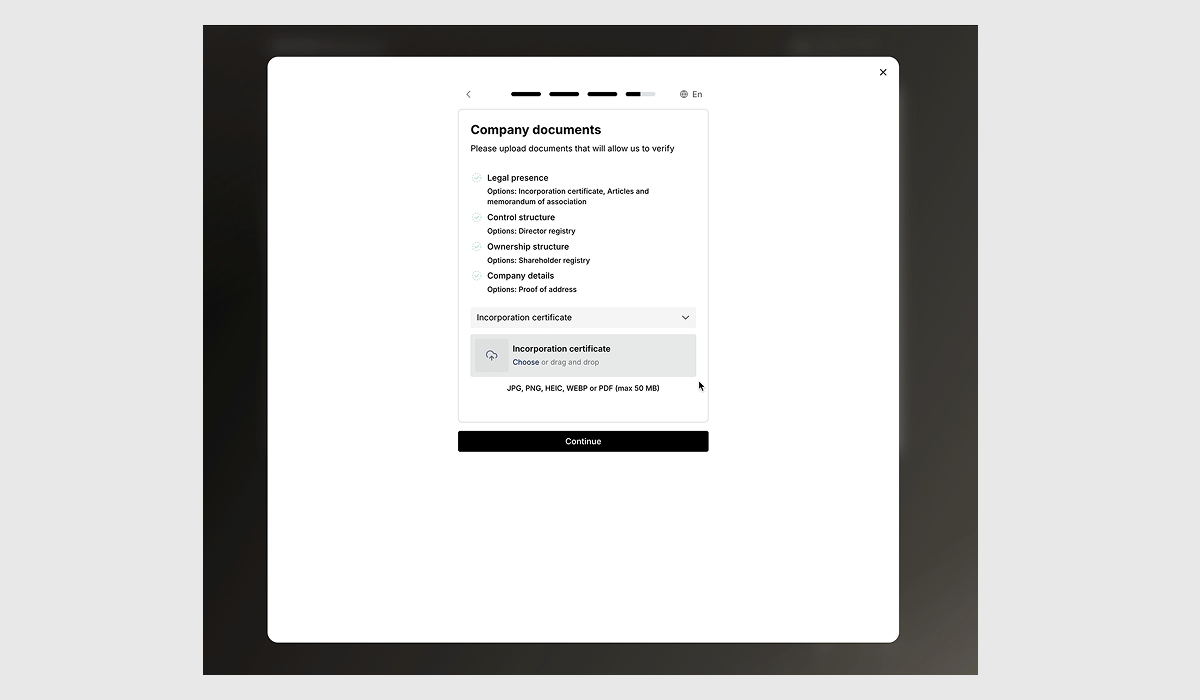
- Company Presence – e.g. Certificate of Incorporation, Articles of Association
- Control Structure – e.g. Director registry or equivalent
- Ownership Structure – e.g. Shareholder registry
- Company Details – e.g. proof of address like a utility bill or bank statement
Document supported formats are: JPG, PNG, HEIC, WEBP, or PDF (up to 50 MB per file)
Was this article helpful?
That’s Great!
Thank you for your feedback
Sorry! We couldn't be helpful
Thank you for your feedback
Feedback sent
We appreciate your effort and will try to fix the article