How to Send Crypto with Wirex Business
Sending crypto with Wirex Business is quick and easy. You can securely send supported stablecoins using the Base network in just a few steps.
⚠️ Important
Wirex Business supports sending via the Base network.
Do not send funds to other networks — this may result in irreversible loss of your assets.

Always double-check that:
- The recipient address supports the Base network
- The stablecoin you're sending is supported by that wallet or platform
Step-by-Step: Sending Crypto
Before sending crypto, you’ll need to create a recipient. This works like a template that you can reuse without re-entering address details every time.
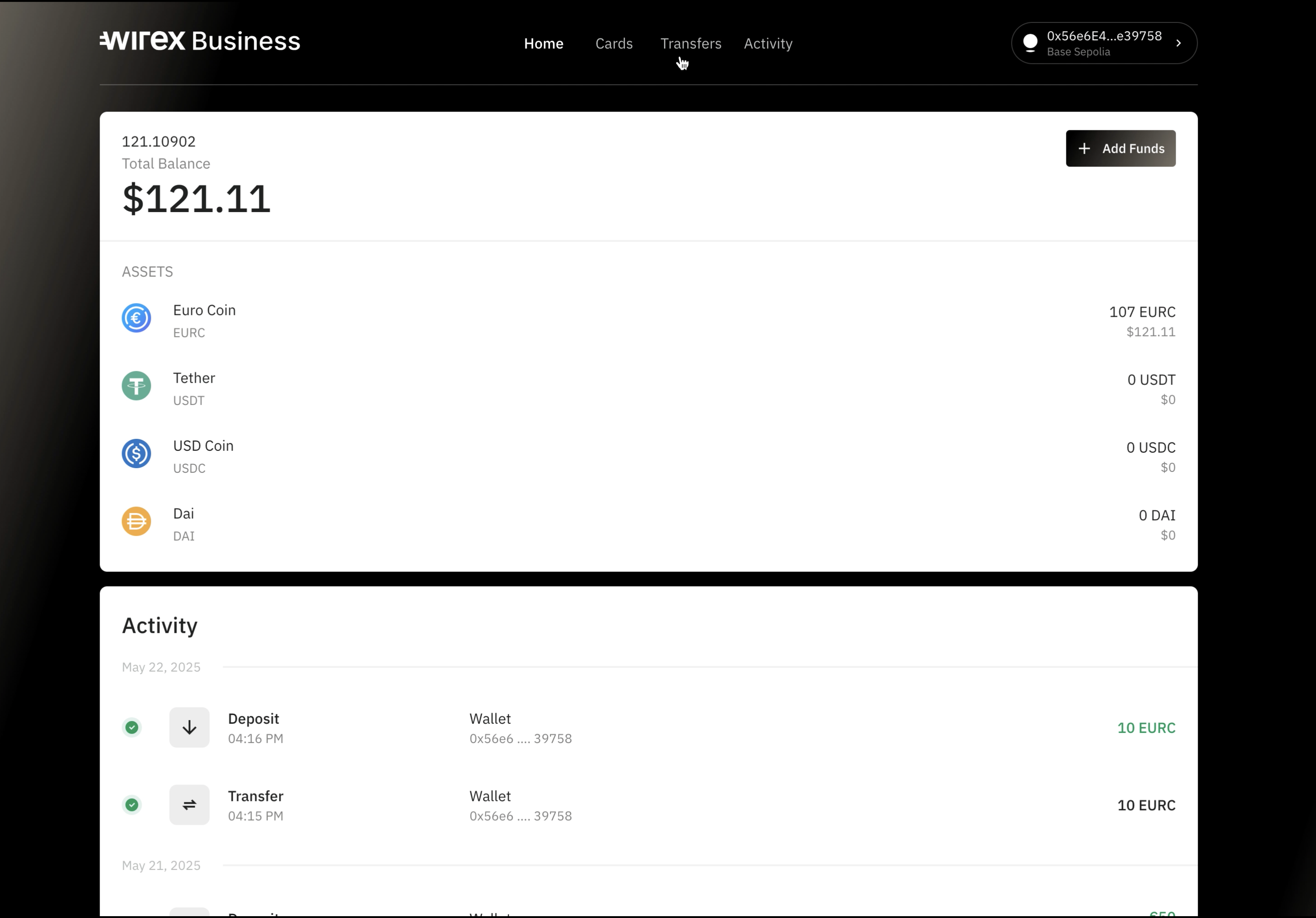
1. Go to Transfers
From the homepage, click on Transfers in the main menu.
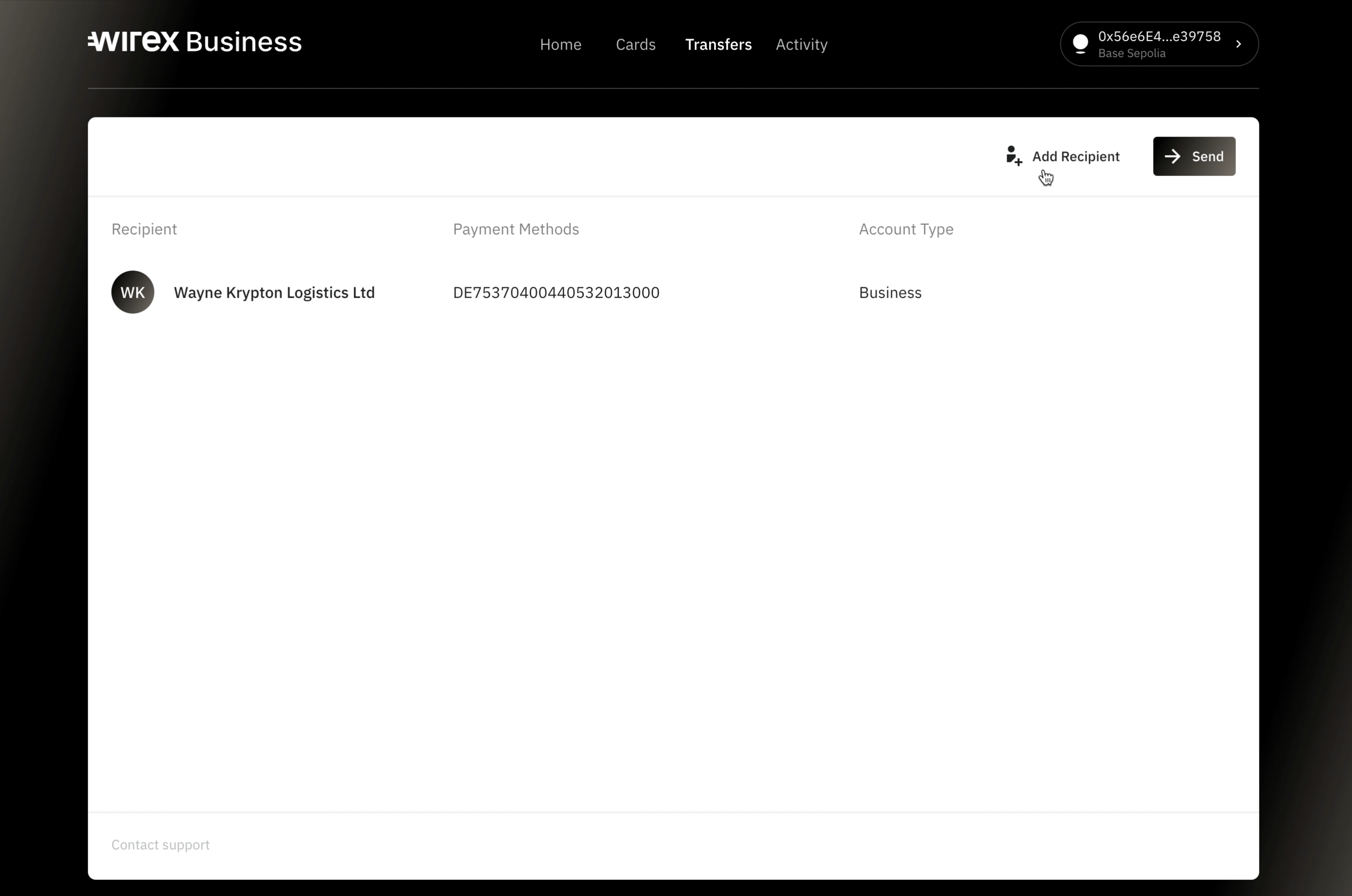
2. Click Add recipient
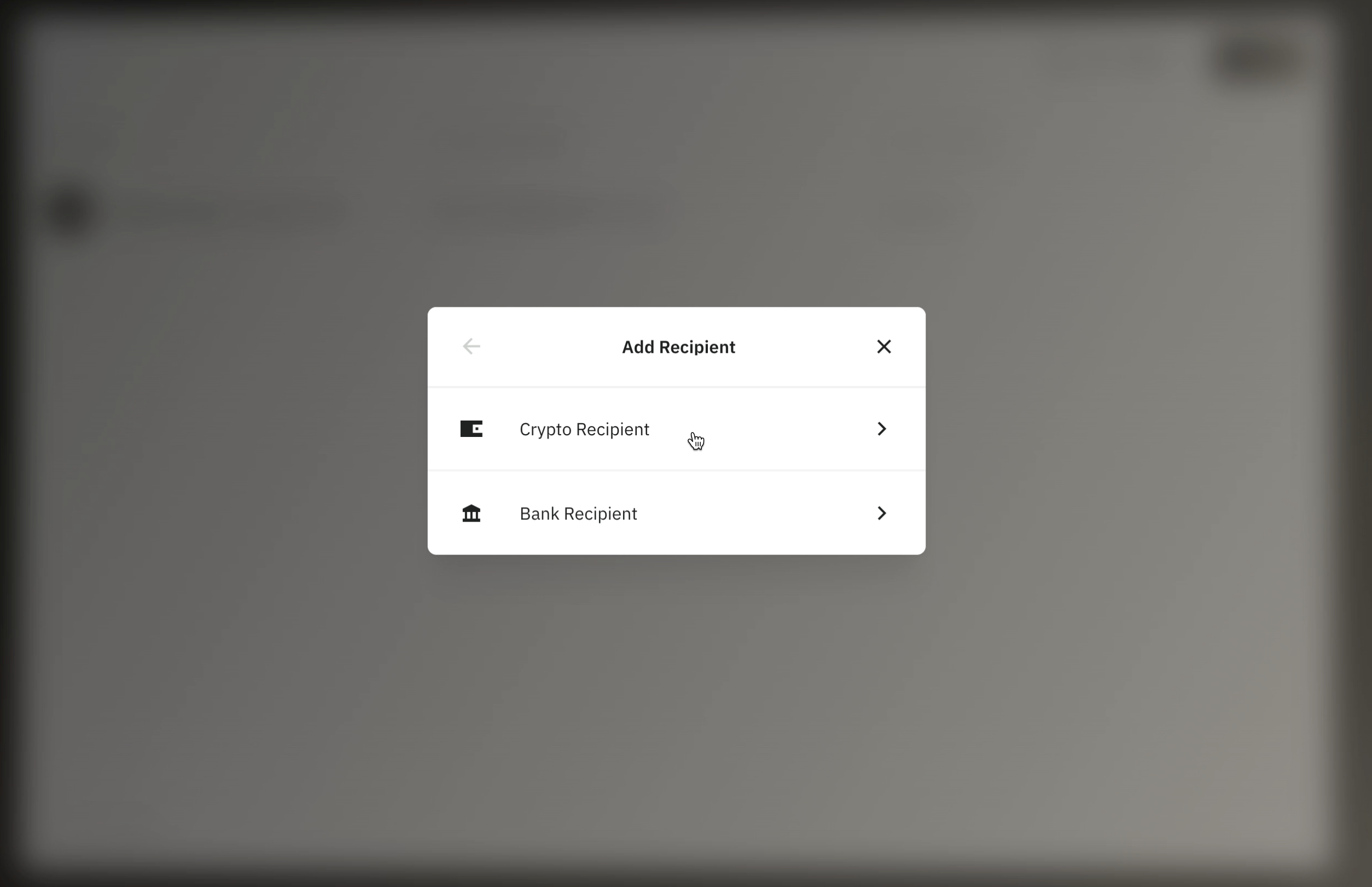
3. Choose Crypto recipient
4. Select the recipient type
Choose whether your sender is a Business or an Individual.
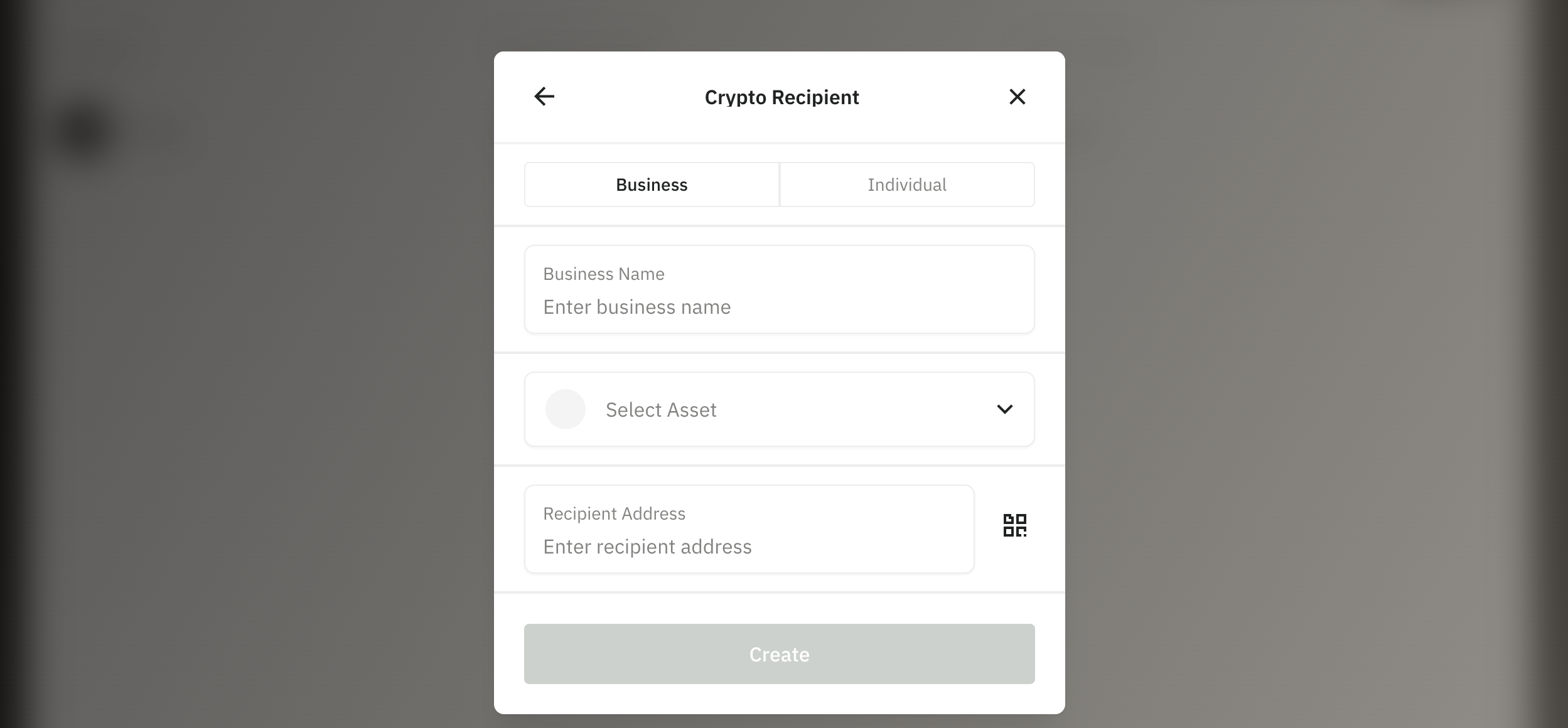
5. Fill in the recipient details
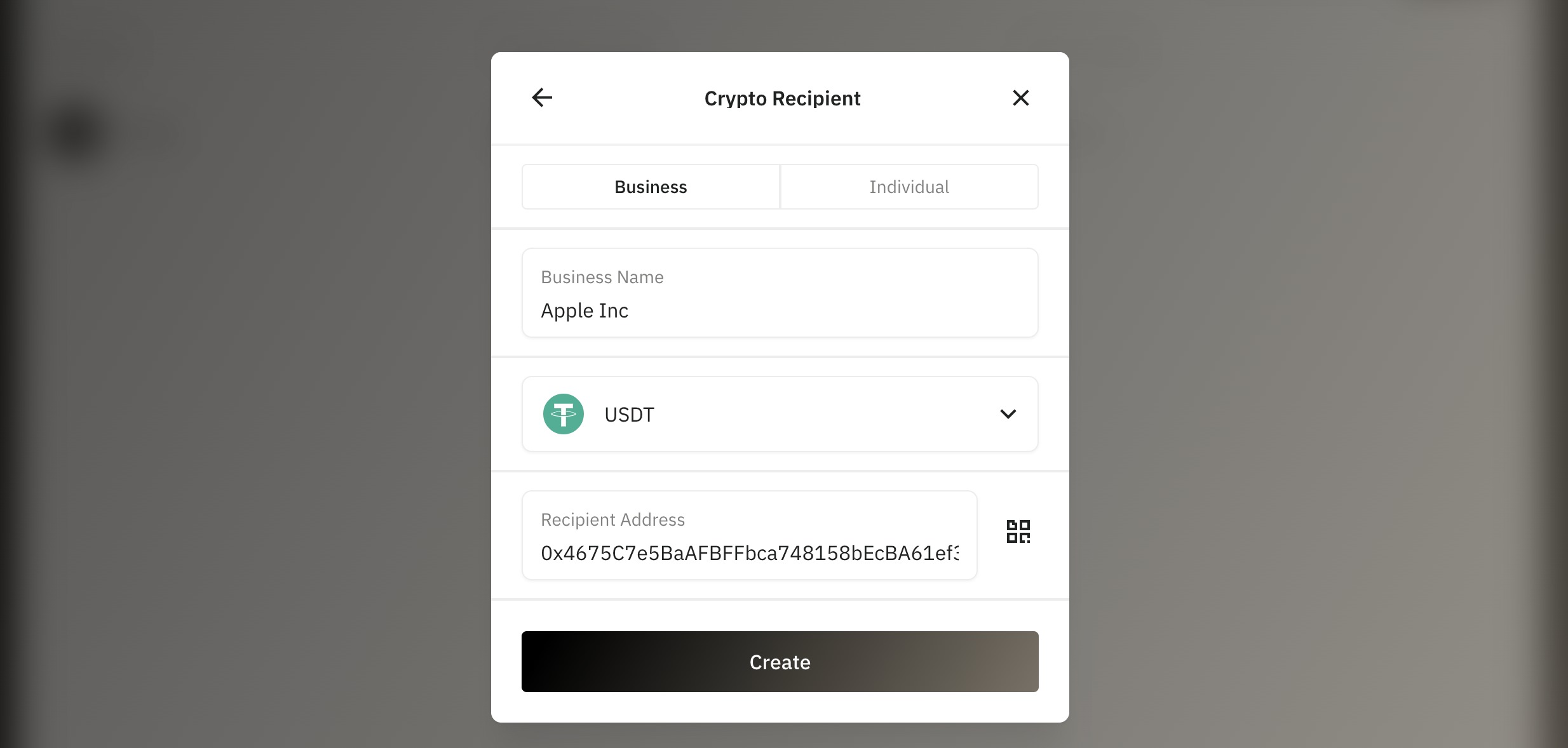
For a business:
- Business name
- Asset (e.g. USDC, EURC)
- Crypto address
For an individual:
- First name
- Last name
- Asset
- Crypto address
Once filled, click Create
6. Enter the amount you wish to send
Once you create a recipient, you will be redirected to initiate the transaction. Enter the amount you want to send and click Continue.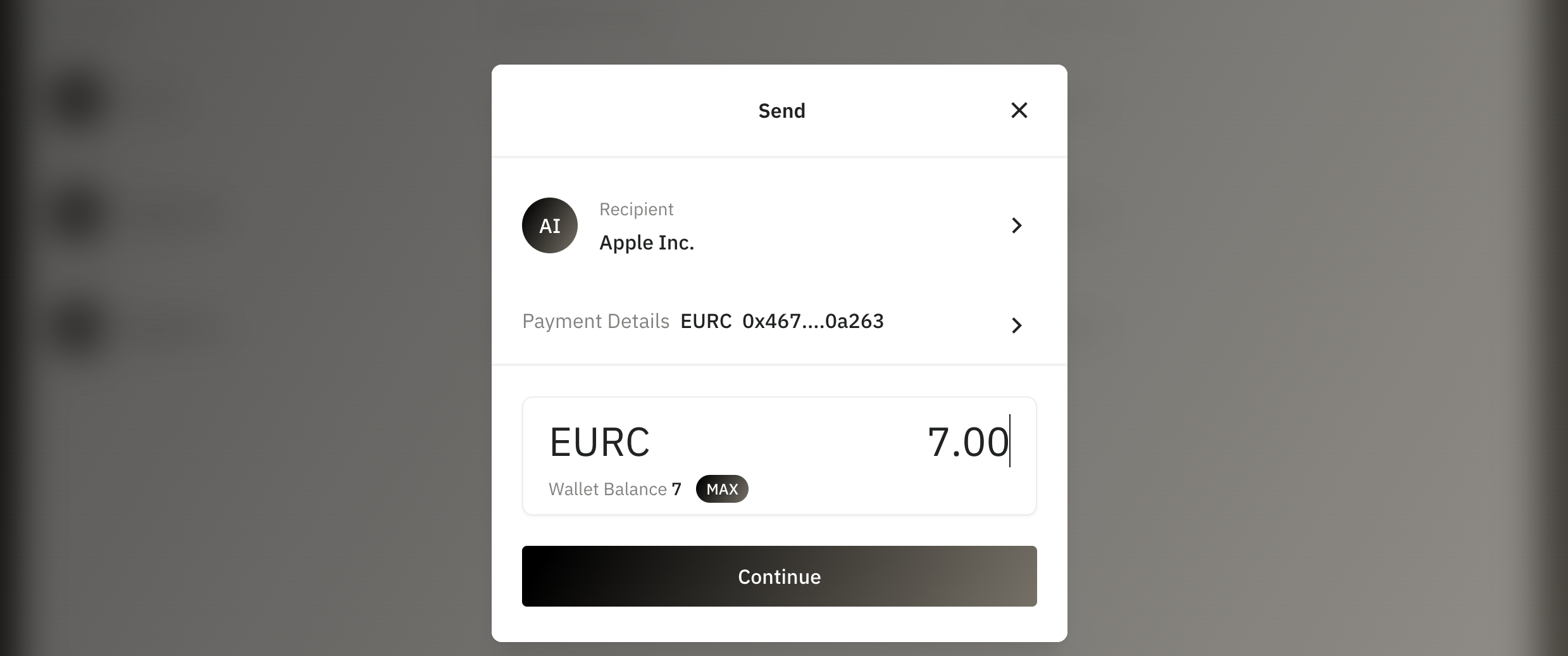
From here you can also change the recipient, or choose another payment details of your recipient.
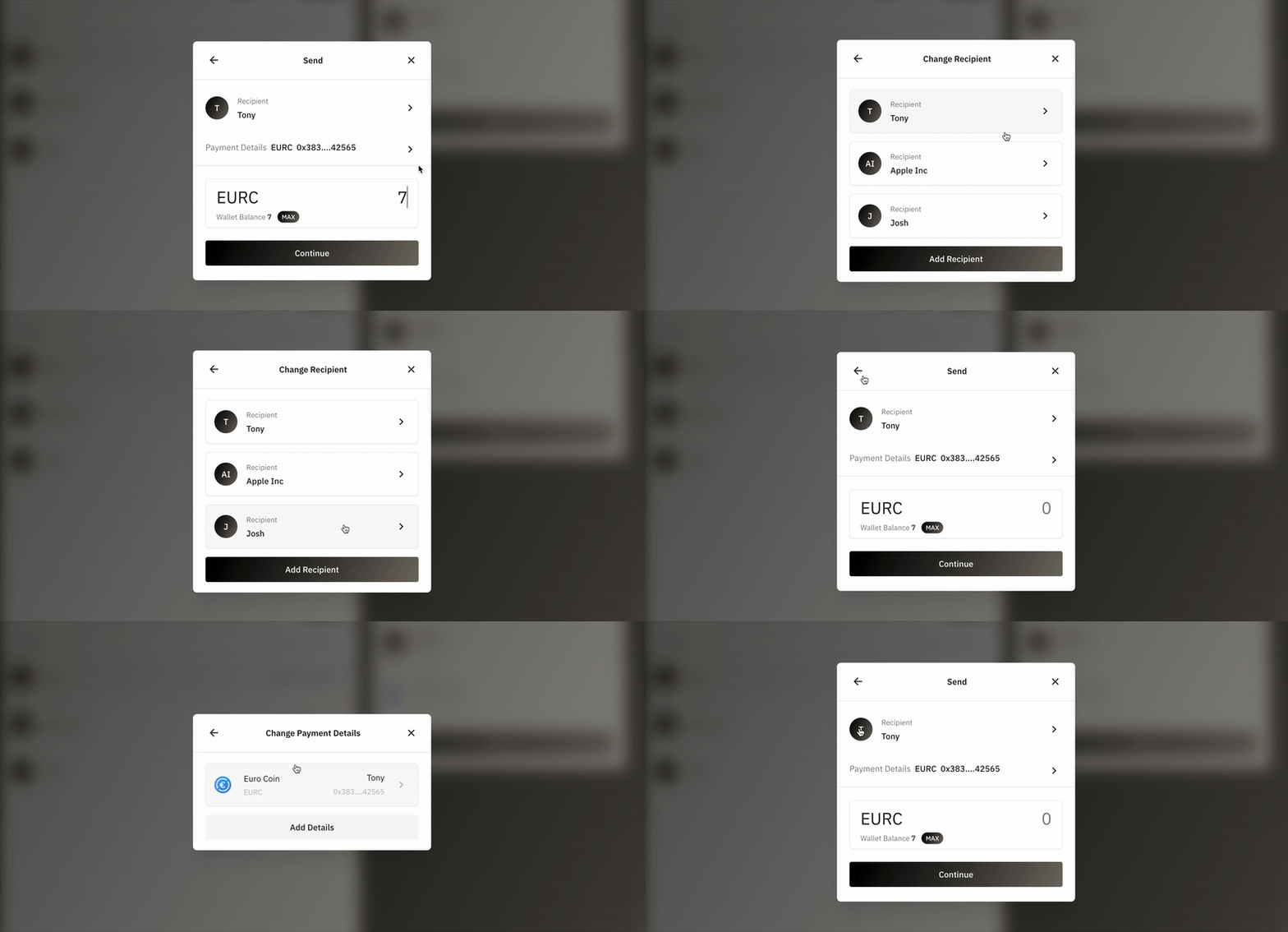
A recipient can have multiple payment details, allowing you to store different wallet addresses for various stablecoins under one recipient.

This is especially useful where recipients may use separate addresses for USDT, USDC, DAI, or EURC—even if they're all on the same network. It helps ensure accuracy and flexibility when managing multiple asset types.
7. Review and confirm transaction details
Ensure that the amount and recipient information are correct.
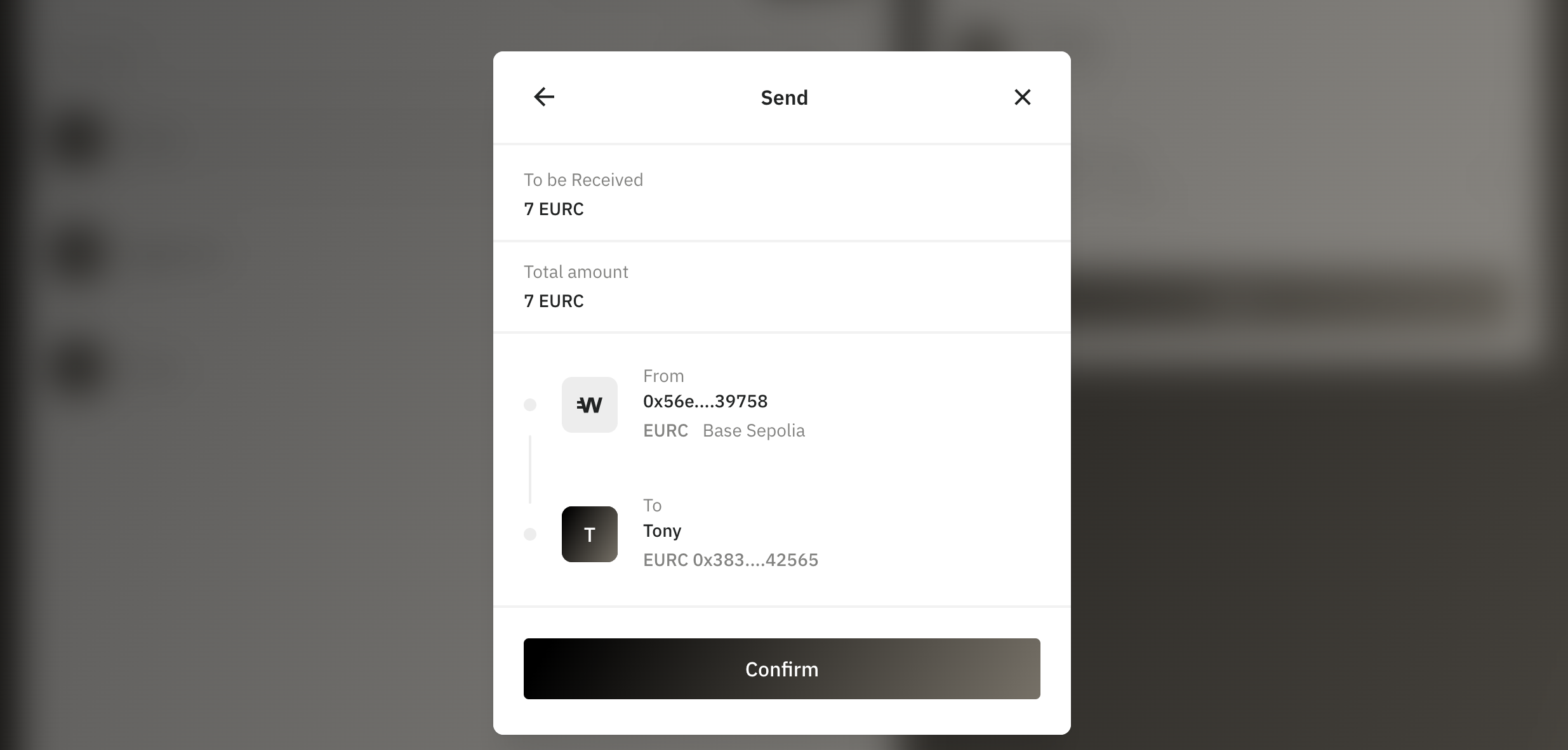
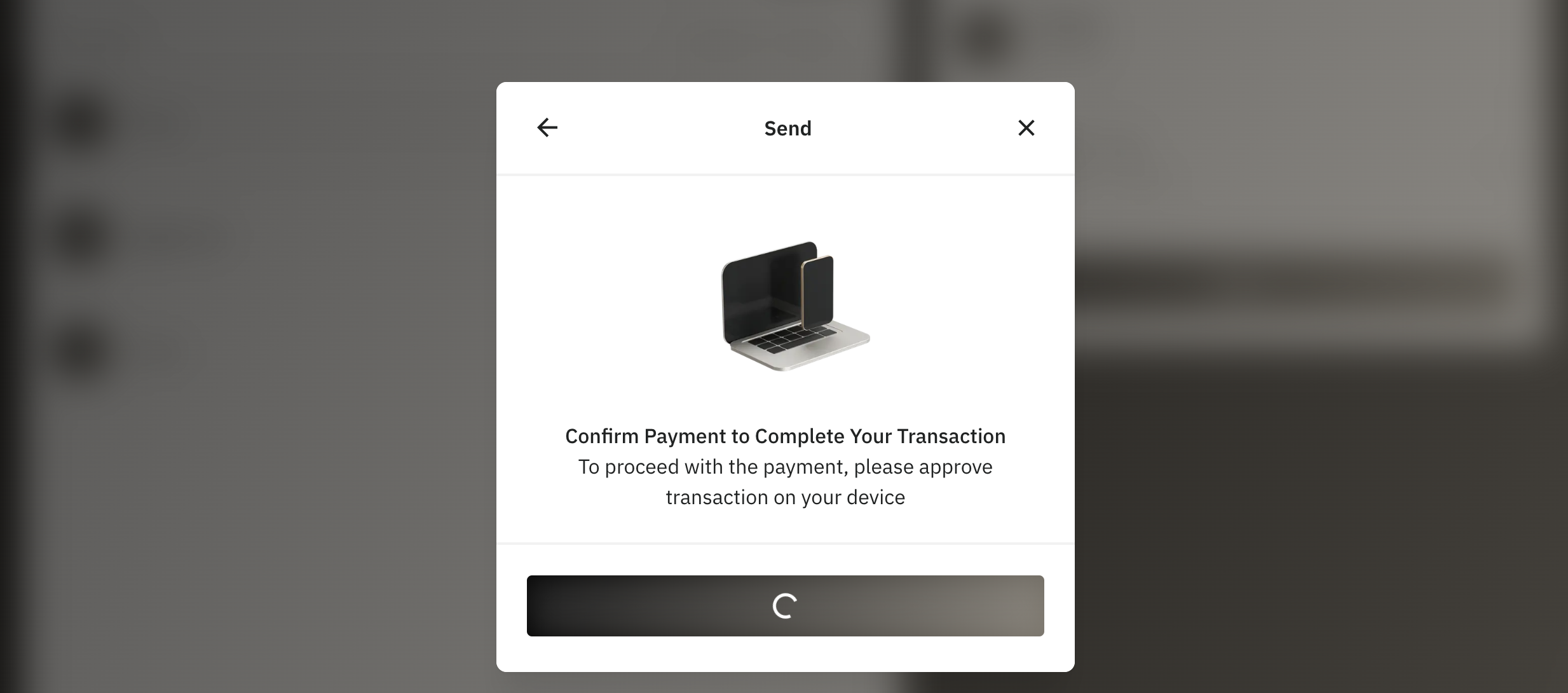
8. Confirm the payment in your connected wallet
Wirex Business is fully non-custodial, so every send transaction must be confirmed through your connected wallet. Most wallets will display a push notification—please confirm it to complete the payment.
9. Done!
Your crypto has been sent successfully.
Need Help?
If you have any questions or need assistance, our team is always here to help via the chat widget on the website.
Was this article helpful?
That’s Great!
Thank you for your feedback
Sorry! We couldn't be helpful
Thank you for your feedback
Feedback sent
We appreciate your effort and will try to fix the article