How to Make a Crypto Deposit to Wirex Business
Depositing crypto into your Wirex Business account is quick and easy. You can fund your account using stablecoins supported on the Base network.
⚠️ Important
Please send only supported stablecoins via the Base network. Deposits sent from other networks or using unsupported tokens will result in permanent loss of funds.

✅ Supported network:
- Base

✅ Supported stablecoins:
- USDT
- USDC
- DAI
- EURC

All supported assets can be deposited to the same address, as long as they are sent via the Base network.
Step-by-Step: Making a Crypto Deposit
In this example, we’ll use MetaMask as the wallet provider.
1. Add the Base network to MetaMask
To interact with the Base network, you need to add it to your MetaMask wallet.
Follow this official guide: How to add a custom network (Base)
2. Bridge your funds to Base
If your assets are not already on Base network, you’ll need to bridge them from another network. Use this guide to bridge funds to Base: How to use the MetaMask bridge
Reminder: We currently support USDT, USDC, DAI, and EURC. All supported assets can be sent to the same address, but they must be sent via the Base network.
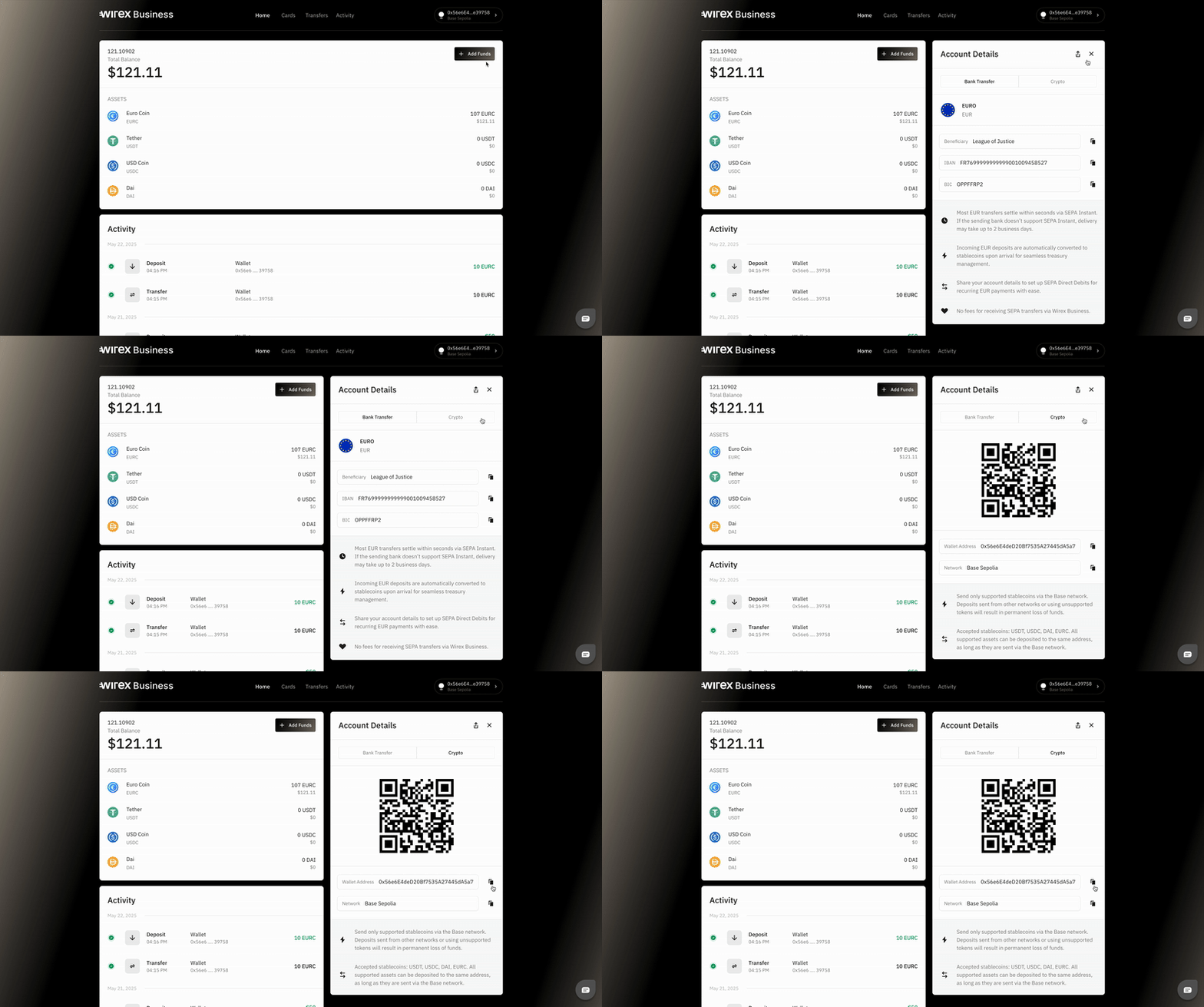
3. Copy your Wirex Business receive address
You’ll find the Add funds button in the top-right corner of the homepage. From there, click Crypto and you’ll see a unique address where you can receive supported stablecoins via the Base network.
5. Go to MetaMask and initiate the transaction
Paste the copied address into your MetaMask wallet and choose the stablecoin you wish to send.
⚠️ Note:
You will need a small amount of ETH (Base network) in your wallet to cover gas fees when sending funds.
6. Confirm the transaction in your wallet
Review the details (ensure you're sending a supported stablecoin via Base network) and confirm the send action in MetaMask.
7. Done!
Your payment has been sent. The funds should appear in your Wirex Business account shortly.
Need help?
If you have any questions or run into any issues while depositing crypto, we’re here to help! Just reach out to us via the chat widget on our website.
Was this article helpful?
That’s Great!
Thank you for your feedback
Sorry! We couldn't be helpful
Thank you for your feedback
Feedback sent
We appreciate your effort and will try to fix the article